Magento 2 Export Custom Product Attribute
Installation and User Guide for Magento 2 Export Custom Product Attribute Extension
Table of Contents
- Installation
- Installation via app/code
- Installation via Composer
- Configuration Settings for Export Custom Product Attribute
- General Settings
- Exporting Custom Product Attributes
Installation
-
Installation via app/code: Upload the content of the module to your root folder. This will not overwrite the existing Magento folder or files, only the new contents will be added. After the successful upload of the package, run below commands on Magento 2 root directory.
php bin/magento setup:upgrade php bin/magento setup:di:compile php bin/magento setup:static-content:deploy -
Installation via Composer: Please follow the guide provided in the below link to complete the installation via composer.
Configuration Settings for Export Custom Product Attribute
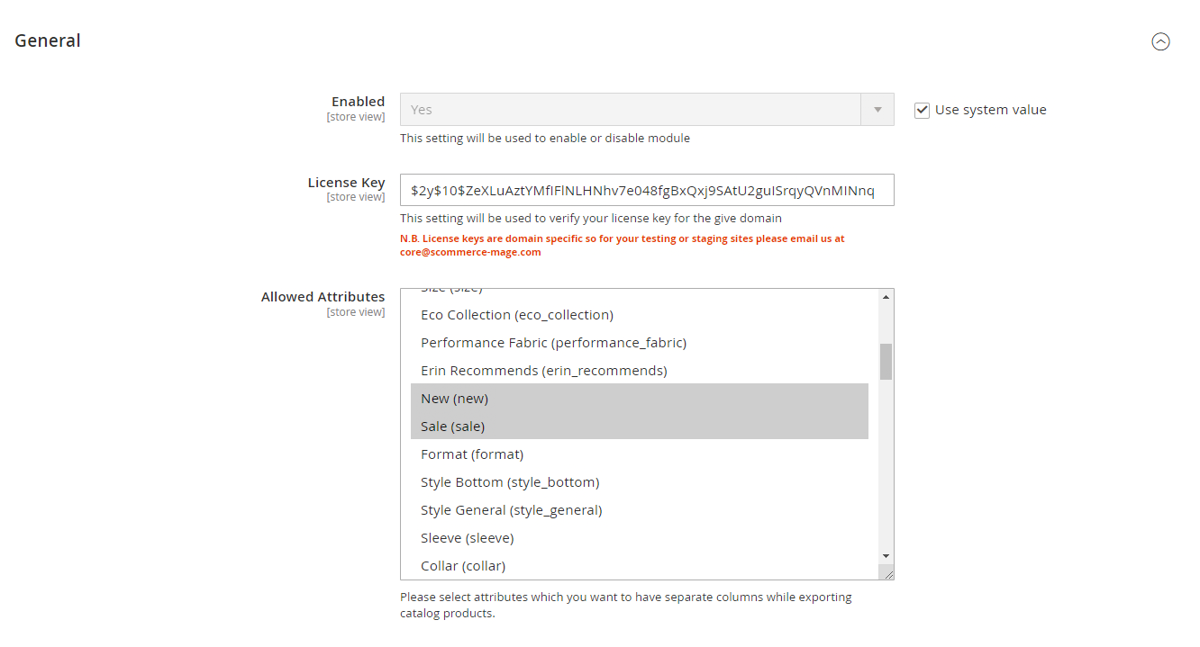
Go to Admin > Stores > Configuration > Scommerce Configuration > Export Product Attribute
General Settings
- Enabled – Select "Yes" or "No" to enable or disable the module.
- License Key – Please add the license for the extension which is provided in the order confirmation email. Please note license keys are site URL specific. If you require license keys for dev/staging sites then please email us at support@scommerce-mage.com.
- Allowed Attributes – Select the product attributes that you want to list in separate columns while exporting the catalog products.
Exporting Custom Product Attributes
Make sure the custom attributes that you want to import are selected under Admin>Stores>Configuration>Scommerce Configuration>Export Custom Attributes>Allowed Attributes. Please follow the steps below to do the export.
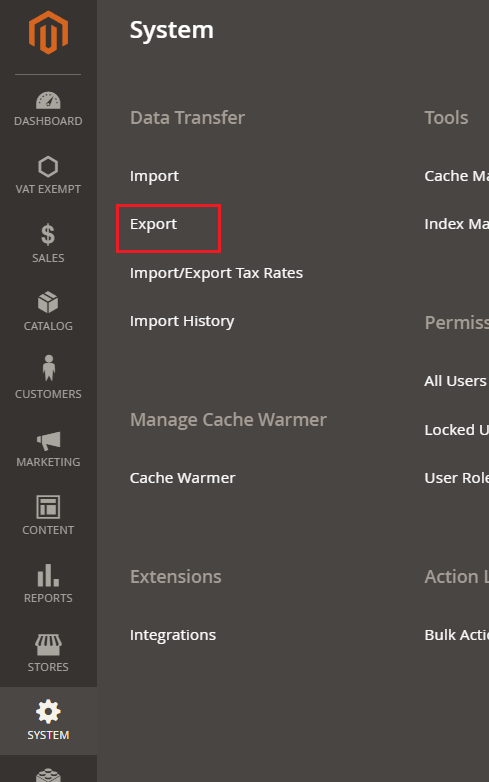
Step 1:- Go to Admin>System>Export
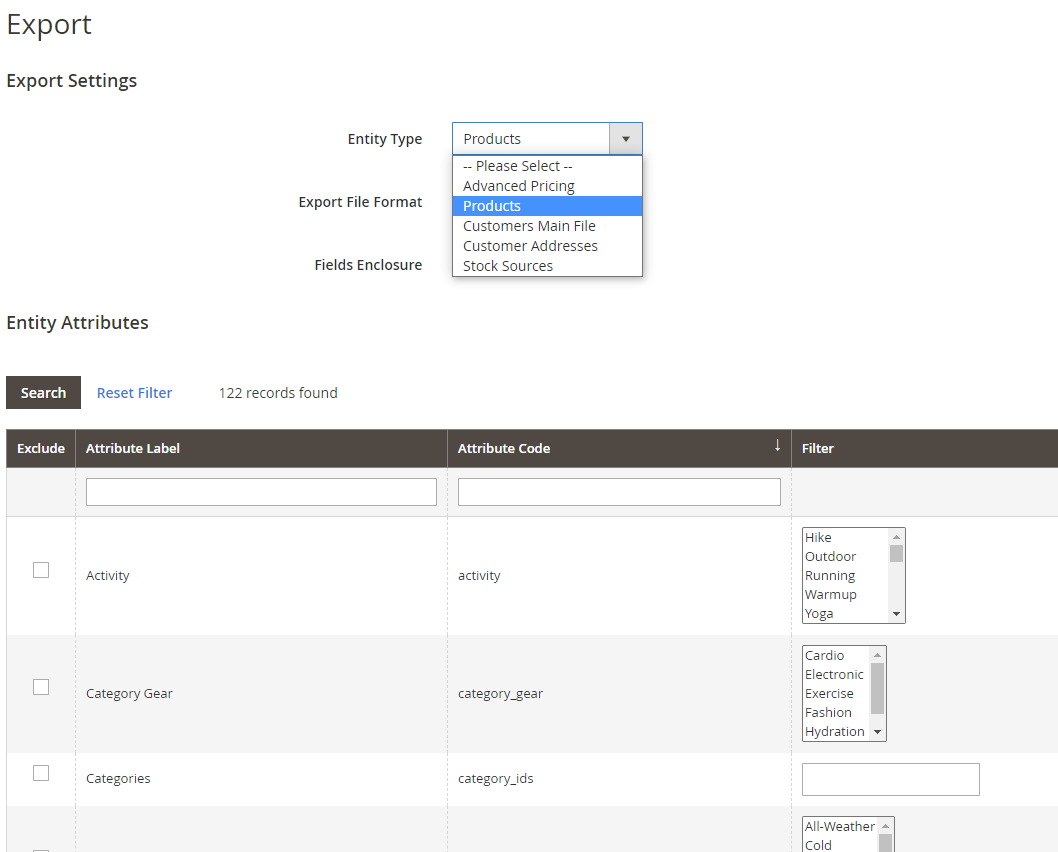
Step 2:- Select product from the 'Entity Type' dropdown list and select the attributes that you want to exclude from the export.
Step 3:- Click on continue and when the cron runs the export will be generated and added in the list below
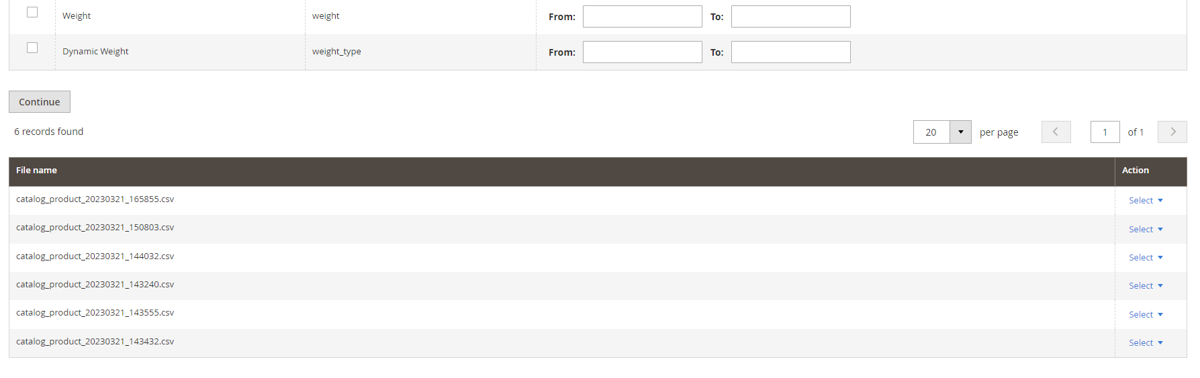
Step 4:- Finally, download the export file from the select dropdown.

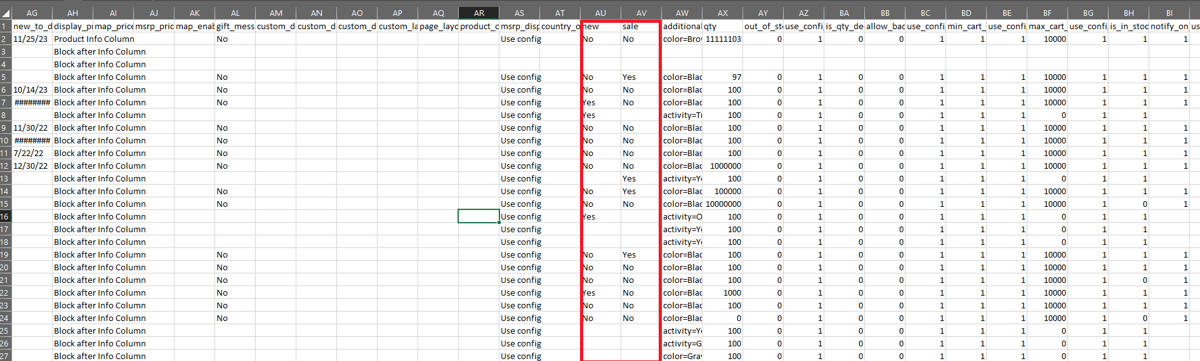
Step 5:- You can see in the export file that our custom attributes new and sale are present in separate columns.
If you have a question related to this extension please check out our FAQ Section first. If you can't find the answer you are looking for then please contact support@scommerce-mage.com.