Magento 2 Repeat Order
Installation and User Guide for Magento 2 Repeat Order
Table of Contents
- Installation
- Installation via app/code
- Installation via Composer
- Configuration Settings for Repeat Order Subscription
- General Settings
- Repeat Order Subscription Email
- Payment / Order Failed Emailed
- Subscription Status Update Notification
- Manage Subscription Grid
- Re-start/Pause, Cancel Subscriptions
- Subscribed Items and Order History on the Edit Subscription Page
- Backend Order Page Link through Subscription Order
- Subscriptions Payment Grid
- View Subscription Payment Details
- Front-end Site View
- Subscription Options on the Checkout Page
- Frequency Selection Drop-down
- My Subscription Section on the My Account Page
- Subscription Details on the My Subscriptions Page
- View / Edit Subscription Information from the Front-end/ My Account
- Subscription Confirmation Email
Installation
-
Installation via app/code: Upload the content of the module to your root folder. This will not overwrite the existing Magento folder or files, only the new contents will be added. After the successful upload of the package, run below commands on Magento 2 root directory.
php bin/magento setup:upgrade php bin/magento setup:di:compile php bin/magento setup:static-content:deploy -
Installation via Composer: Please follow the guide provided in the below link to complete the installation via composer.
Configuration Settings for Repeat Order Subscription
Go to Admin > Stores > Configuration > Scommerce Configuration > Repeat Order Subscription
General Settings
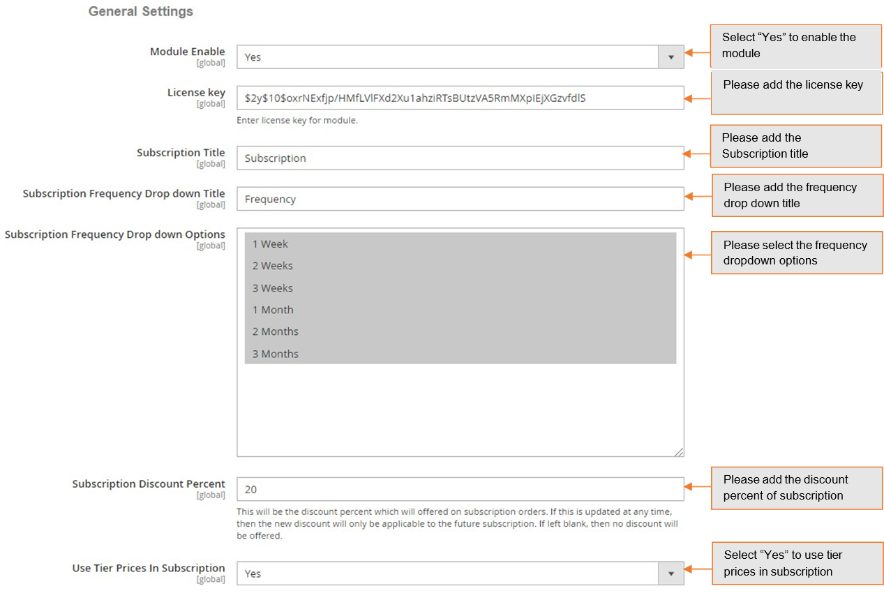
- Module Enable - Select "Yes" or "No" to enable or disable the module.
- License Key – Please add the license for the extension which is provided in the order confirmation email. Please note license keys are site URL specific. If you require license keys for dev/staging sites then please email us at support@scommerce-mage.com.
- Subscription Title – Enter the title of subscription, which will be shown on the front-end.
- Subscription Frequency Drop down Title – Enter the title of subscription frequency.
- Subscription Frequency Drop down Options – Select the frequency option from the dropdown list.
- Subscription Discount Percent – Enter the discount percent, this will be offered on subscription orders. If left blank, then no discount will be offered.
- Use Tier Prices in Subscription – Select "Yes" to use tier prices in subscription.
Repeat Order Subscription Email
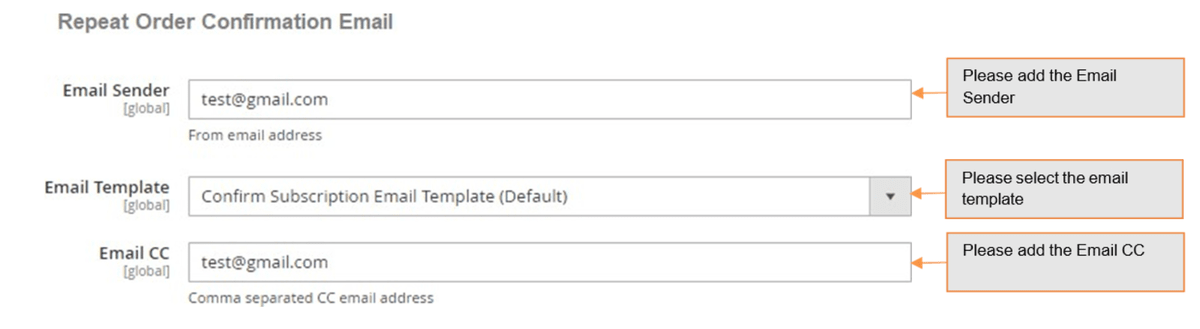
- Email Sender – Please enter sender/from email address for Repeat Order Confirmation Email.
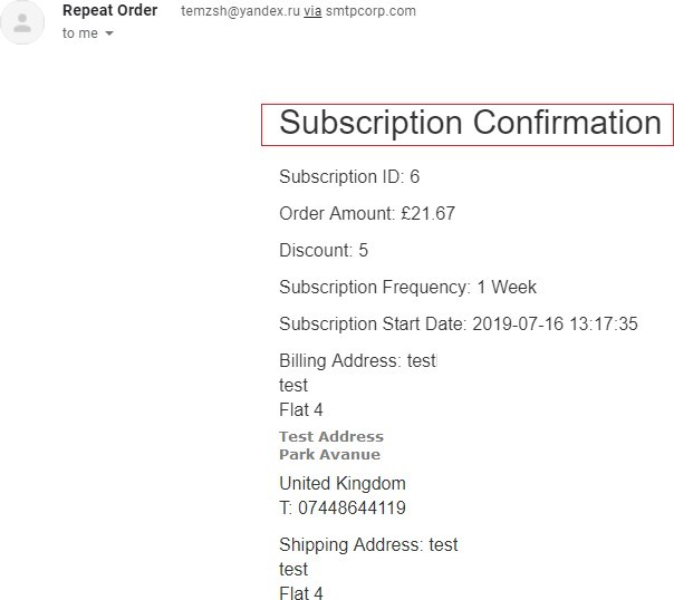
- Email Template – Select order confirmation email template for repeat order. The template will contain Subscription Id, Order Amount, Discount Subscription Frequency, Subscription Start Date, Billing address, Shipping address, Payment Method, Subscribed items.
- Email CC – Please add CC email addresses for Repeat Order emails in comma separated format.
Payment / Order Failed Emailed
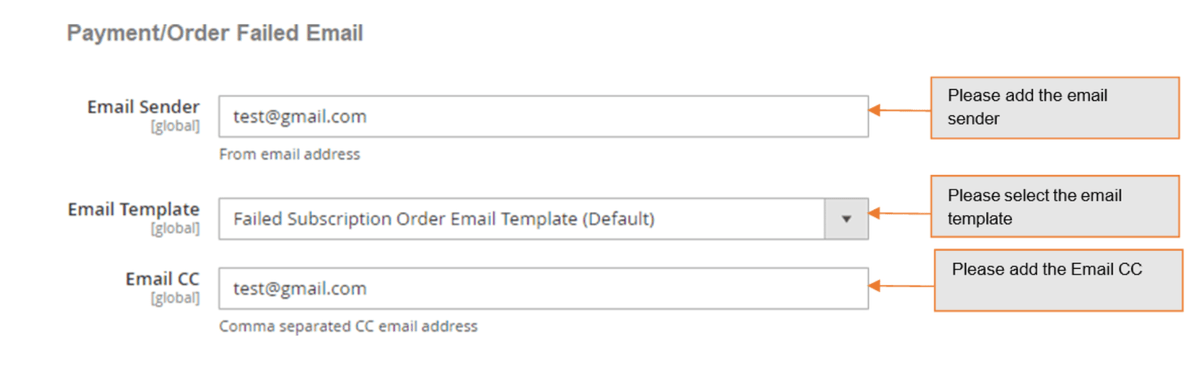
- Email Sender – Please enter sender/from email addresses for Payment order failed email.
- Email Template – Select Order/Payment failure email template for repeat order. The template will contain Subscription Id, Due Order Date (for which payment/order failed).
- Email CC – Enter CC email address.
Subscription Status Update Notification
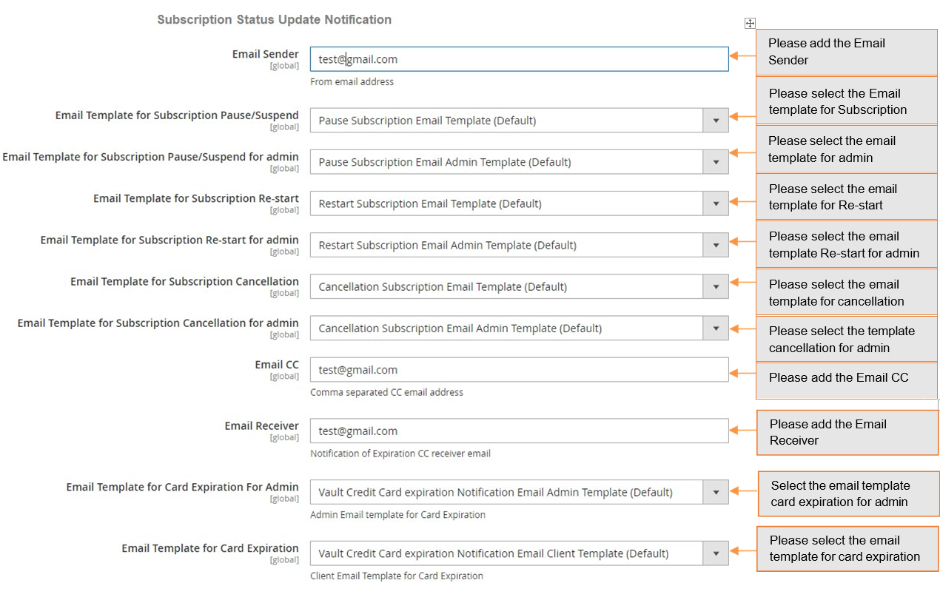
- Email Sender – Please enter sender/from email addresses for Subscription status update email.
- Email Template for Subscription Pause/Suspend – Select notification template for subscription pause.
- Email Template for Subscription Pause/Suspend for admin – Notification template for Subscription Pause for Admin.
- Email Template for Subscription Restart – Select notification template for subscription Re-start.
- Email Template for Subscription Restart for Admin – Notification template for subscription Re-start for Admin.
- Email Template for Subscription Cancellation – Select notification template for Subscription Cancellation.
- Email Template for Subscription Cancellation for Admin – Notification template for Subscription cancellation for admin.
- Email CC – Enter CC from email address.
- Email Receiver – Enter receiver email address to receive Card Expiration notification email.
- Email Template for Card Expiration for Admin – Email template for Card Expiration for admin.
- Email Template for Card Expiration – Select email template for Card Expiration.
Manage Subscription Grid
You can manage subscriptions from, Admin > Scommerce Mage > Repeat Order > Manage Subscriptions. This grid will have all the details about the subscriptions like Subscription ID, Frequency, Customer Email, Last Order date, Status, Action (Edit). With the action 'Edit' you can easily update subscription details and can also perform Cancel/Pause/Re-start actions.

-
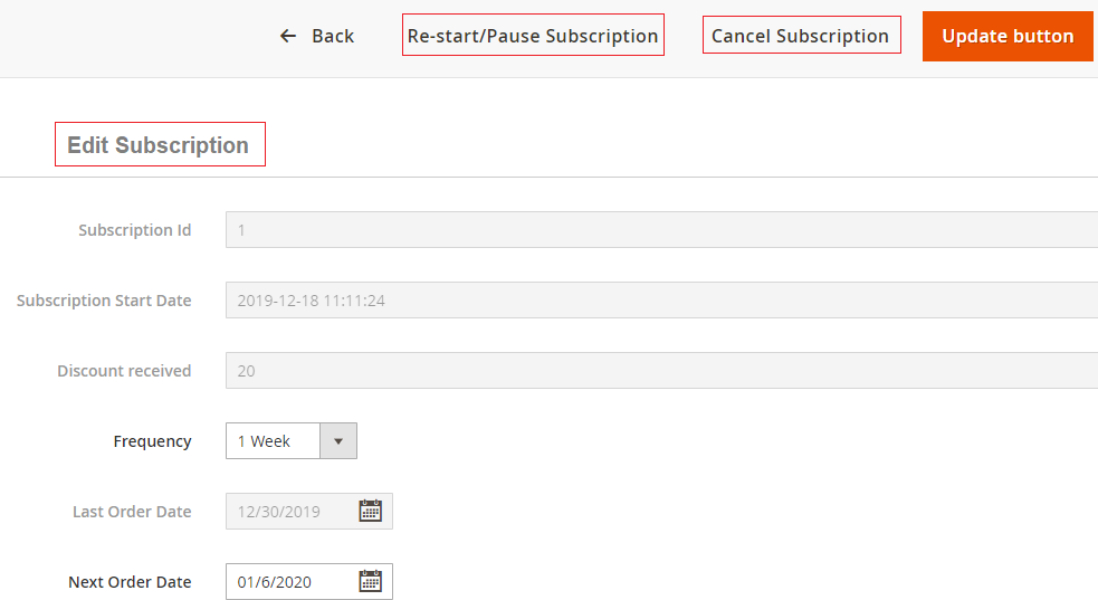
Re-start/Pause, Cancel Subscriptions - You can re-start, pause and cancel subscriptions from Admin > Scommerce Mage > Repeat Order > Manage Subscriptions > Select Subscription > Edit.
-
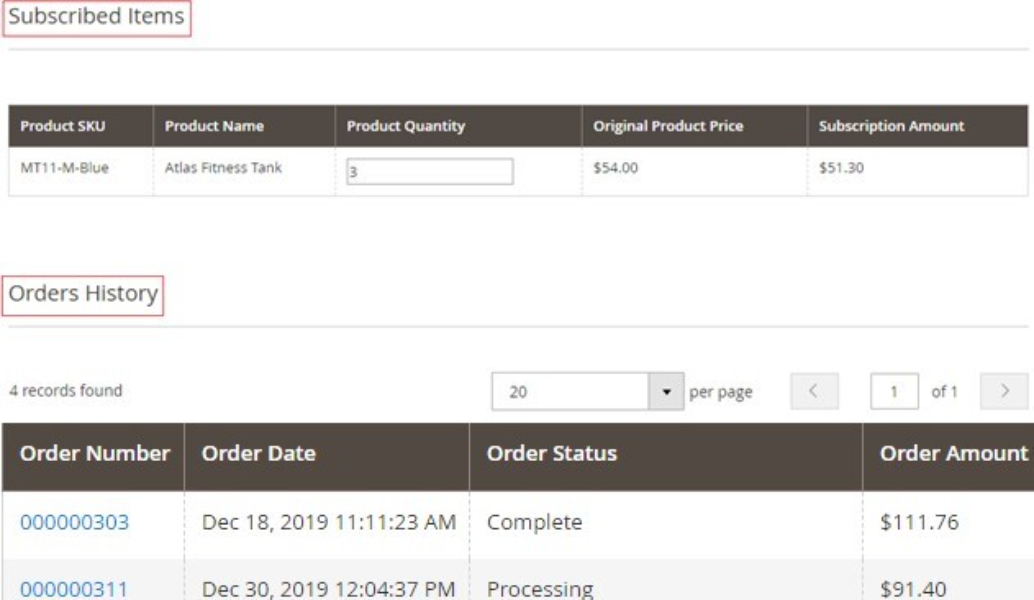
Subscribed Items and Order History on the Edit Subscription Page -** You** can see the subscribed items and order history from Admin > Scommerce Mage > Repeat Order > Manage Subscriptions > Select Subscription > Edit.
-
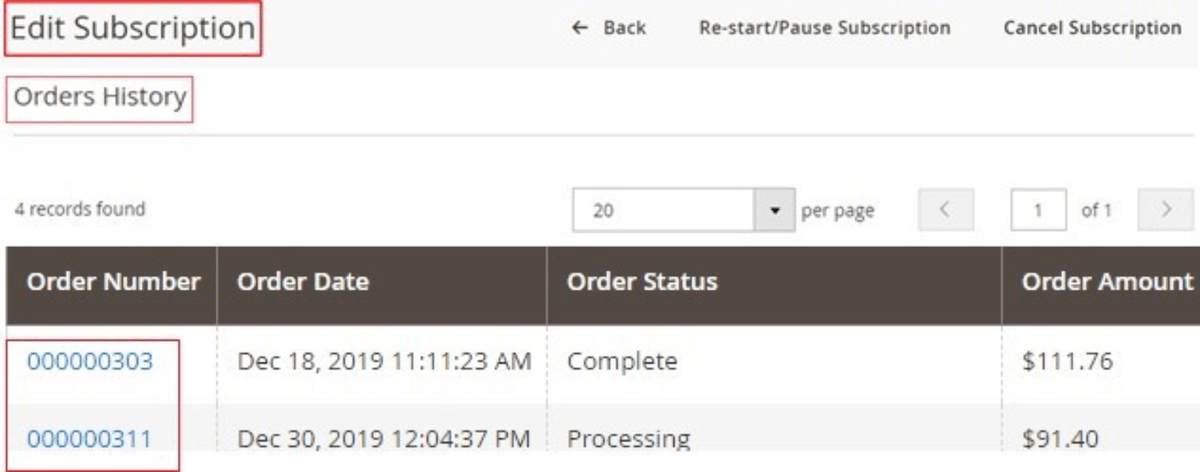
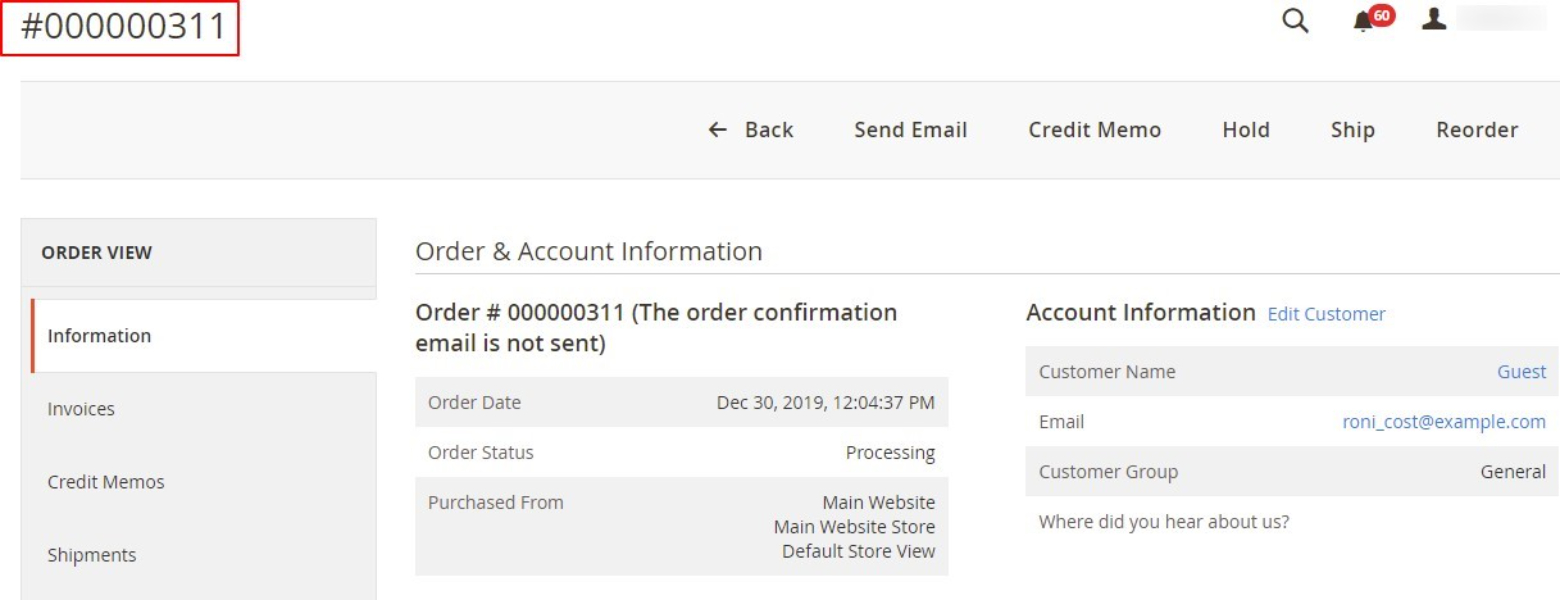
Backend Order Page Link through Subscription Order – When you click on subscription order URL visible under Orders History section at Admin > Scommerce Mage > Repeat Order > Manage Subscriptions > Select Subscription > Edit, then it redirects to backend order page.
Subscription order link redirected to order view page
Subscriptions Payment Grid
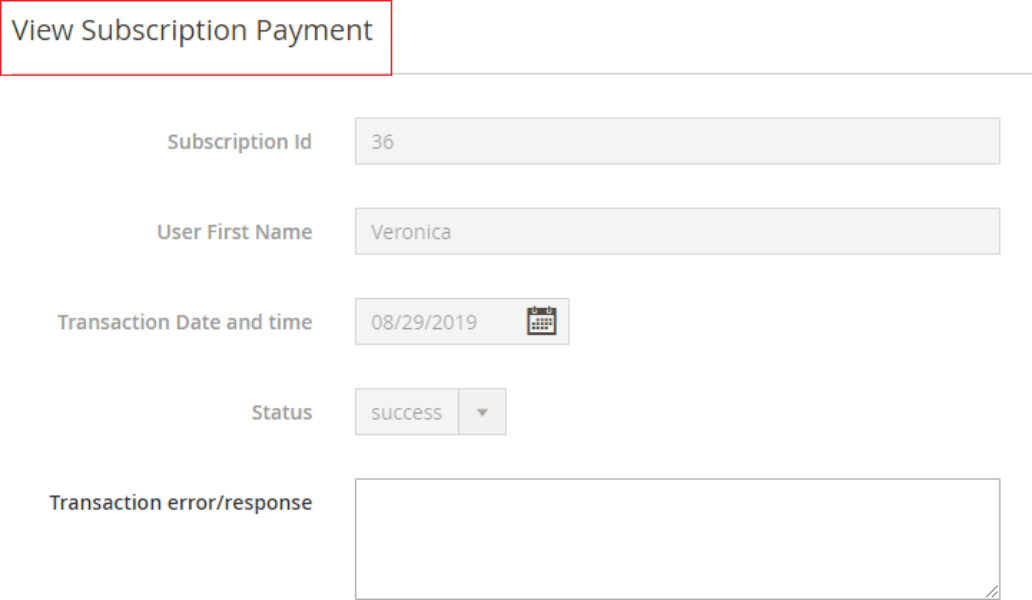
To see subscriptions payment details go to Admin> Scommerce Mage > Repeat Order > Subscription Payments. This grid will provide a view of payment status for the Payment transactions processed for automated subscription order. This will mainly have Subscription Id, First name, Transactions date and time, Transaction error/response.

- View Subscription Payment Details - You can view payment details from Admin> Scommerce Mage > Repeat Order > Subscription Payments > Select Subscription > View.
Front-end Site View
-
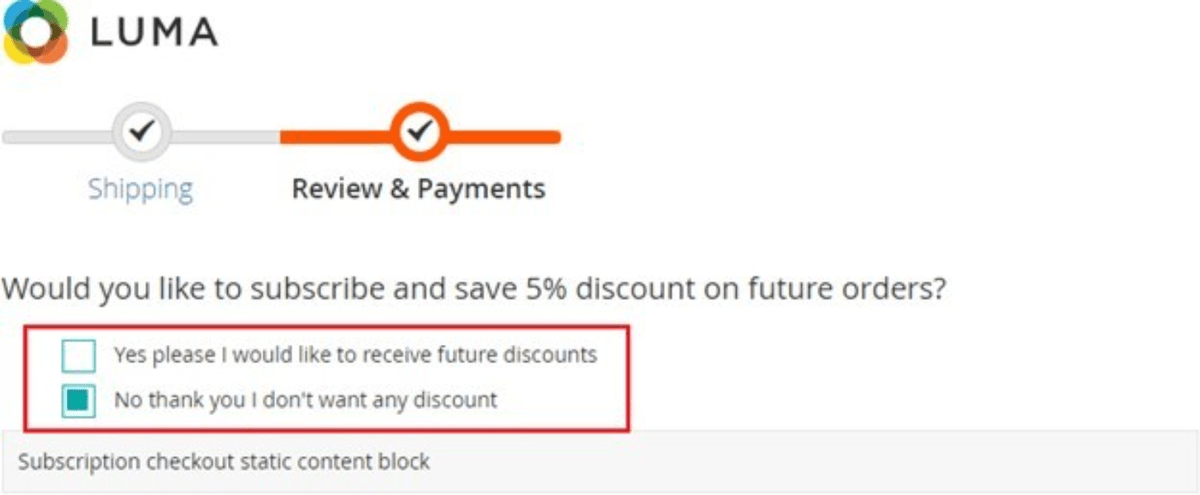
Subscription Options on the Checkout Page - When you enable the module then it shows subscription options on the checkout page, by checking "Yes please I would like to receive future discounts" you can subscribed for the repeat order.
-
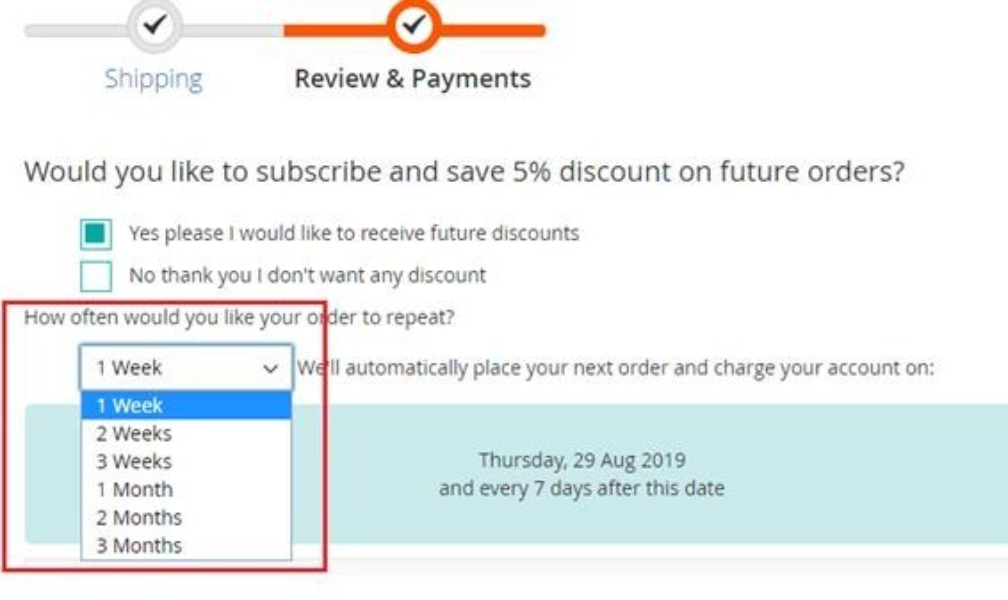
Frequency Selection Drop-down - On the checkout page when you check the subscription option then it shows frequency drop down, from where you can select the repeat order frequency.
-
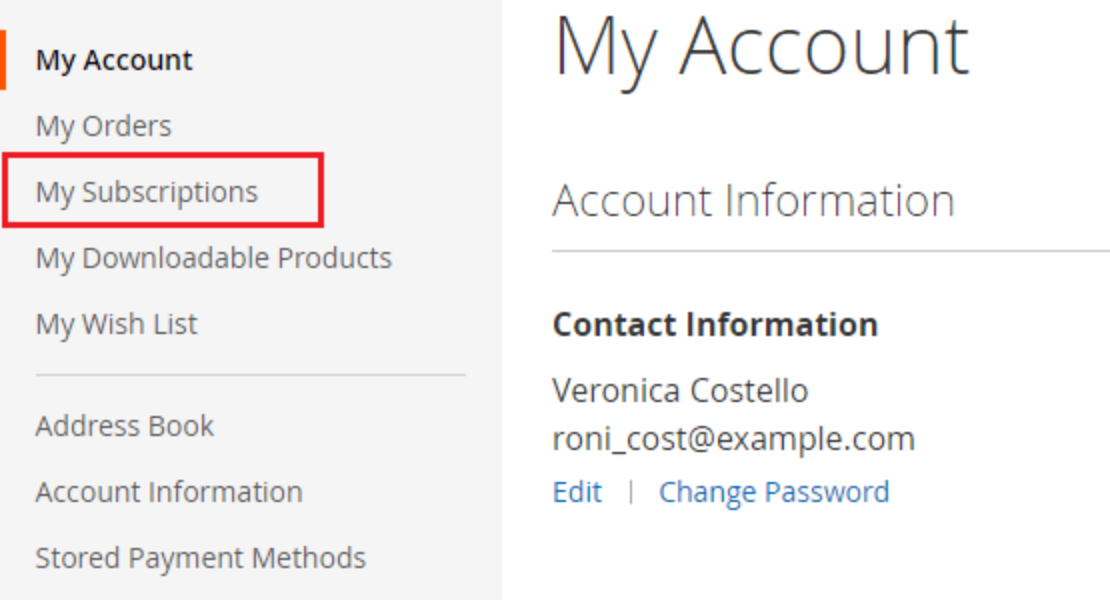
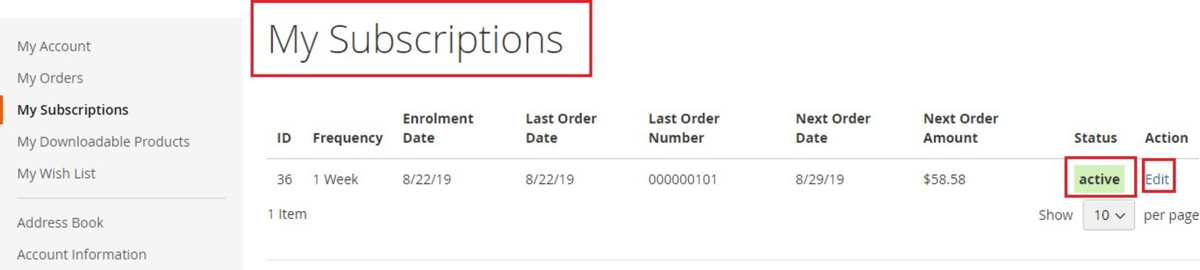
My Subscription Section on the My Account Page - On the front-end you can see the subscription details at My Account > My Subscriptions
-
Subscription Details on the My Subscriptions Page - To view subscriptions details go to My Account > My Subscriptions.
-
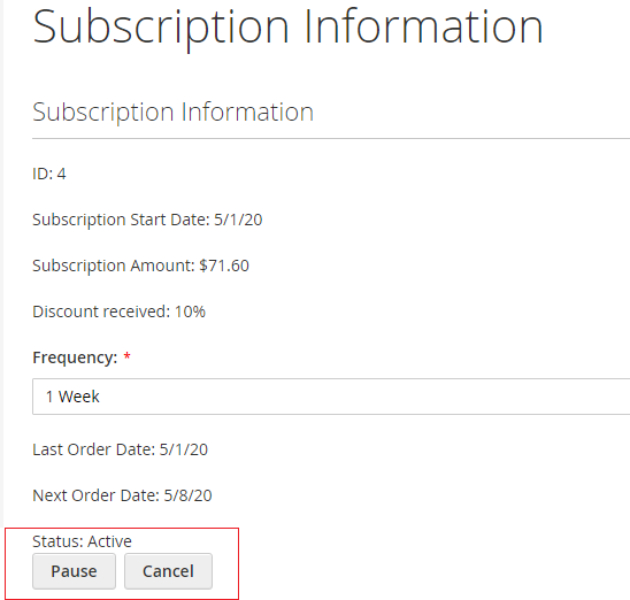
View / Edit Subscription Information from the Front-end/ My Account - On the front-end you can view and edit the subscriptions from My Account > My Subscriptions > Select Order > Edit.
-
Subscription Confirmation Email – When you subscribed for repeat order, it sends subscription confirmation email.
If you have a question related to this extension please check out our FAQ Section first. If you can't find the answer you are looking for then please contact support@scommerce-mage.com.