Magento 2 Free Shipping Bar
Installation and User Guide for Magento 2 Free Shipping Bar Extension
Table of Contents
- Installation
- Installation via app/code
- Installation via Composer
- Configuration Settings for Free Shipping Bar Rule
- General Settings
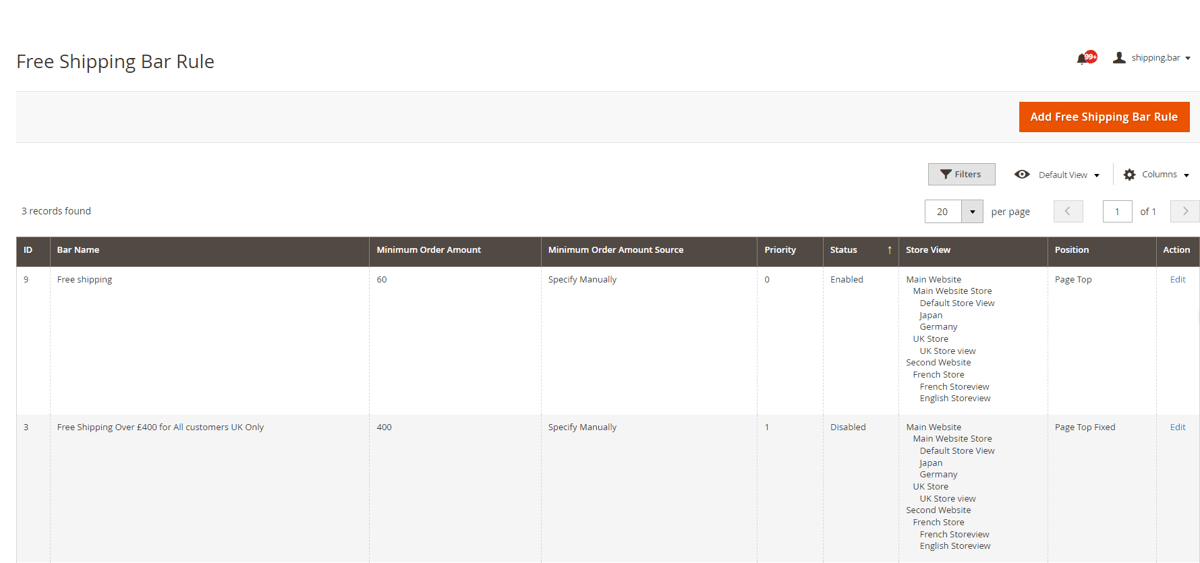
- Manage Free Shipping Bar Rules
- Free Shipping Bar Rule - Grid
- New Shipping Bar - General Settings
- New Shipping Bar - Websites & Customers Groups
- New Shipping Bar - Shipping Countries
- New Shipping Bar - Display Options
- New Shipping Bar - Content
- New Shipping Bar - Design
- Font Color - Enter font color
- Free Shipping Discount
- Front-end Site View
- Free Shipping Bar on the Homepage with Generic Message
- Free Shipping Bar with Generic Message / Bar Position Bottom Fixed
- Free Shipping Bar with Remaining Amount
- Free Shipping Bar on the Cart Page with Success Message
Installation
-
Installation via app/code: Upload the content of the module to your root folder. This will not overwrite the existing Magento folder or files, only the new contents will be added. After the successful upload of the package, run below commands on Magento 2 root directory.
php bin/magento setup:upgrade php bin/magento setup:di:compile php bin/magento setup:static-content:deploy -
Installation via Composer: Please follow the guide provided in the below link to complete the installation via composer.
Configuration Settings for Free Shipping Bar Rule
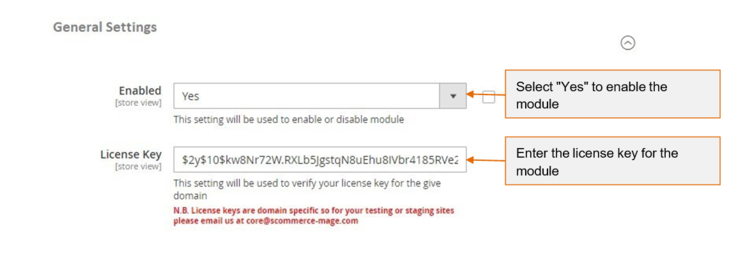
Go to Admin > Stores > Configuration > Scommerce Configuration > Free Shipping Bar Rule
General Settings
- Enabled - Select "Yes" or "No" to enable or disable the module.
- License Key - Please add the license for the extension which is provided in the order confirmation email. Please note license keys are site URL specific. If you require license keys for dev/staging sites then please email us at support@scommerce-mage.com.
Manage Free Shipping Bar Rules
You can add and customize Free Shipping Bar Rules from, Admin > Marketing > All Free Shipping Bar Rules > Free shipping Bar Rule
- Free Shipping Bar Rule - Grid - To create new free shipping bar rule click on "Add Shipping Bar" button and to edit existing rule click "Edit" option under "Action"
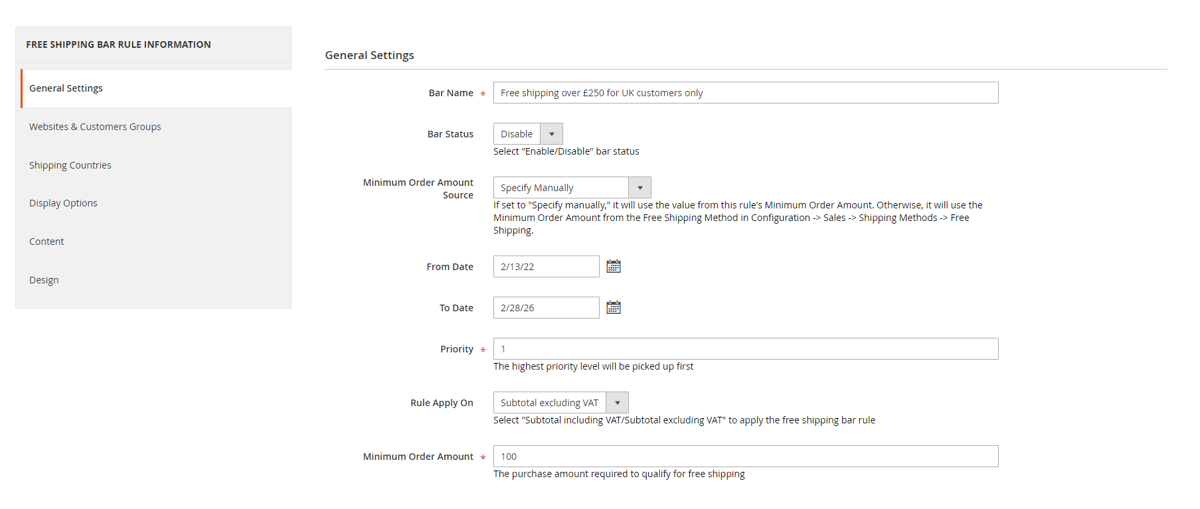
New Shipping Bar - General Settings
- Bar Name - Enter Bar name. This is only for admin use.
- Bar Status - Select "Enable/Disable" bar status.
- Minimum Order Amount Source - Select option "Specify Manually" (utilize the rules minimum order amount) or out of the box "Magento free shipping method"(utilize minimum amount from the freee shipping method).
- From (Date) - Select date from date picker.
- To (Date) - Select date from date picker.
- Priority - Set priority level for the free shipping bar. Highest priority level will be picked up first
- Rule Apply On - Select "Subtotal excluding VAT/Subtotal including VAT" to apply the free shipping bar rule.
- Minimum Order Amount - Enter qualifying amount for cart goal.
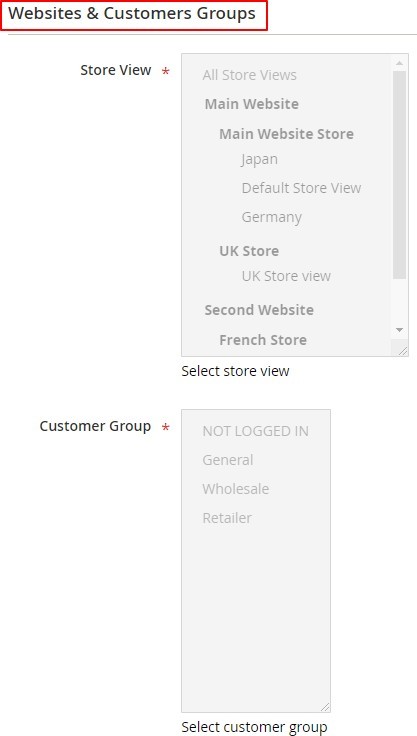
New Shipping Bar - Websites & Customers Groups
- Store View - Select the store view.
- Customer Group - Select customer group.
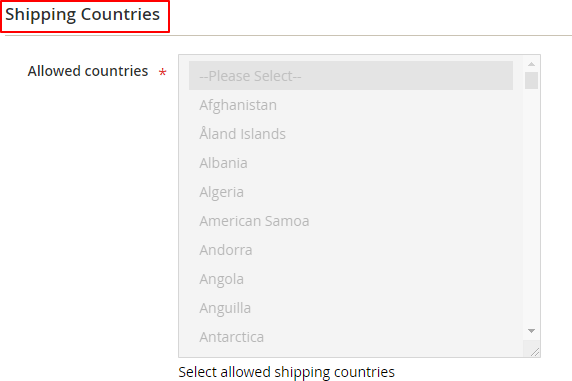
New Shipping Bar - Shipping Countries
- Allowed Countries - Select allowed shipping countries.
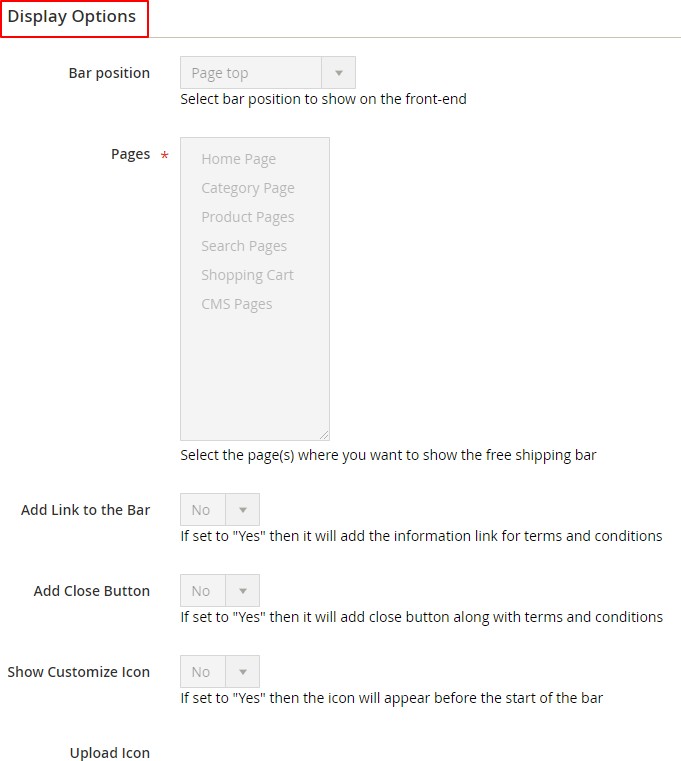
New Shipping Bar - Display Options
- Bar Position - Select the bar position from the dropdown list to show on the front-end.
- Pages - Select the page(s) where you want to show the free shipping bar. If all pages are selected then the bar will be shown on all.
- Add Link to the Bar - Select "Yes/No". If set to "Yes" then it will add the information link for terms and conditions.
- Add Close Button - If this is "Yes" then it will hide the bar with 'x' button.
- Show Customize Icon - Select "Yes/No" option. If set to "Yes" then "Upload Icon" option will be shown.
- Upload Icon - This will be an option for user to upload an icon (visible when "Show Customize Icon" set to "Yes")
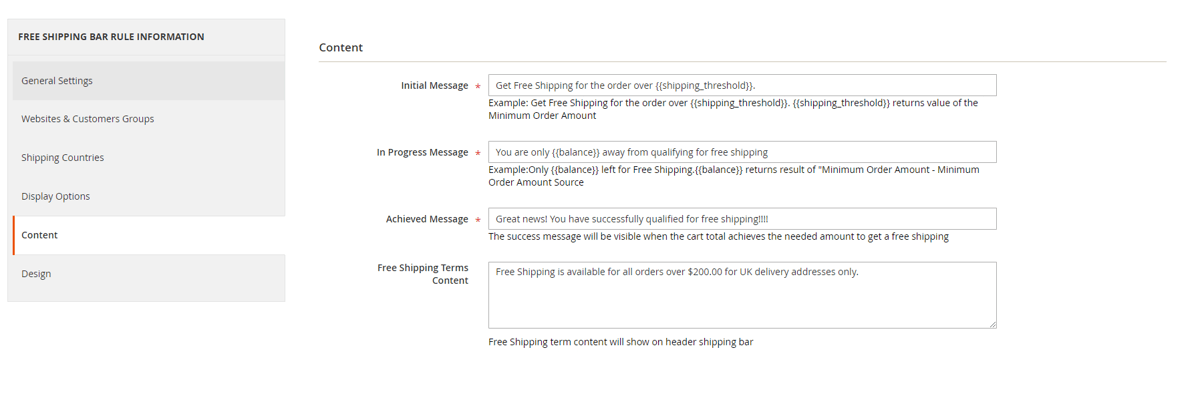
New Shipping Bar - Content
- Initial Message - Provide initial message (This will be an informative or generic message about free shipping conditions).
- In Progress Message - Provide in progress message (A message to inform customers about the amount left for free shipping).
- Achieved Message - Provide achieved message (A customer will get it, when the cart total achieves the needed amount to get a free shipping).
- Free Shipping Terms Content - Provide shipping terms or other important information. (This will be a fill in the message to provide customers with shipping terms or other important information right on the bar).
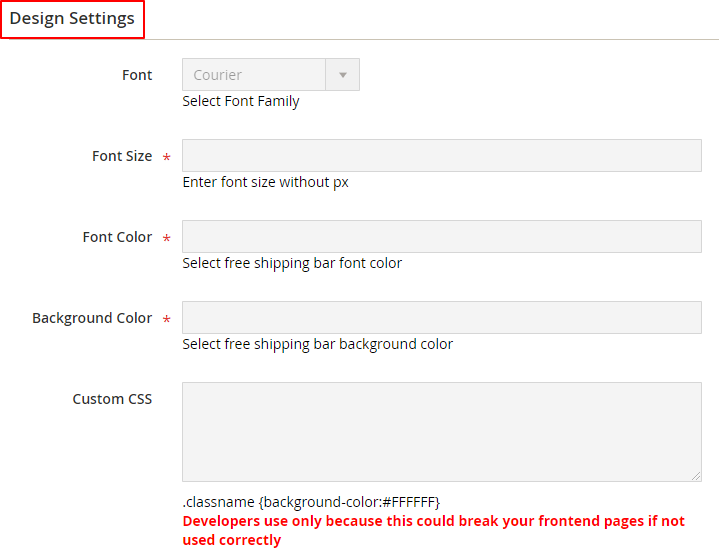
New Shipping Bar - Design
-
Font - Select font
-
Font Size - Enter font size
-
Font Color - Enter font color
-
Background Color - Enter background color
-
Custom CSS - Provide custom CSS (.classname {background- color:{color:#FFFFFF})
-
Free Shipping Discount - The extension only implements the bar display and actual shipping discount needs to be set separately in Magento out of the box.
Front-end Site View
-
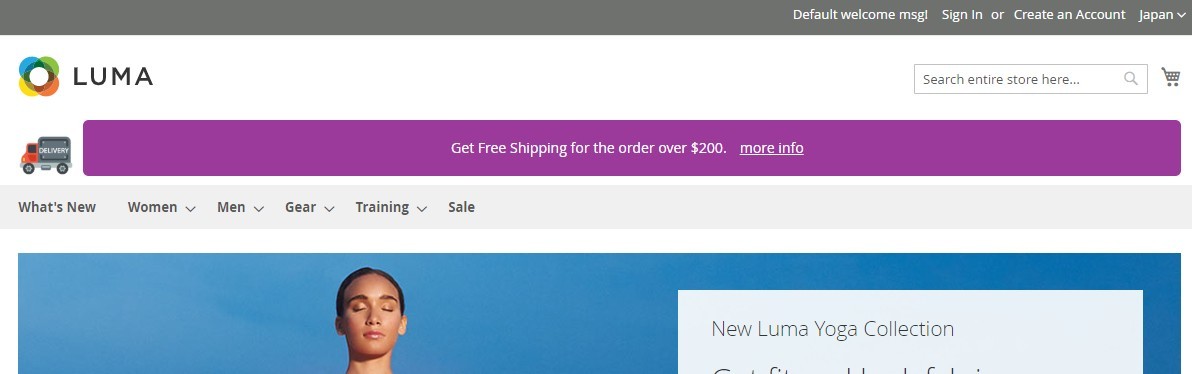
Free Shipping Bar on the Homepage with Generic Message - You can set generic message for free shipping bar from Admin > Marketing > All Free Shipping Bar Rules > Free shipping Bar Rule > Click "Add Free Shipping Bar Rule" > New Shipping Bar > Initial Message
-
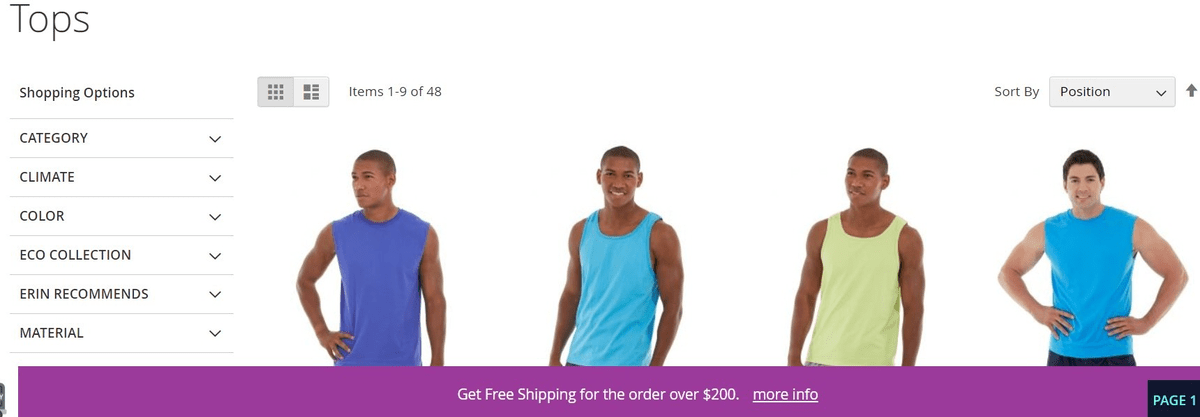
Free Shipping Bar on the Category Page with Generic Message / Bar Position Bottom Fixed - You can set bar position by selecting bar options from Admin > Marketing > All Free Shipping Bar Rules > Free shipping Bar Rule Click "Add Free Shipping Bar Rule" > New Shipping Bar > Display Options Bar Position.
-
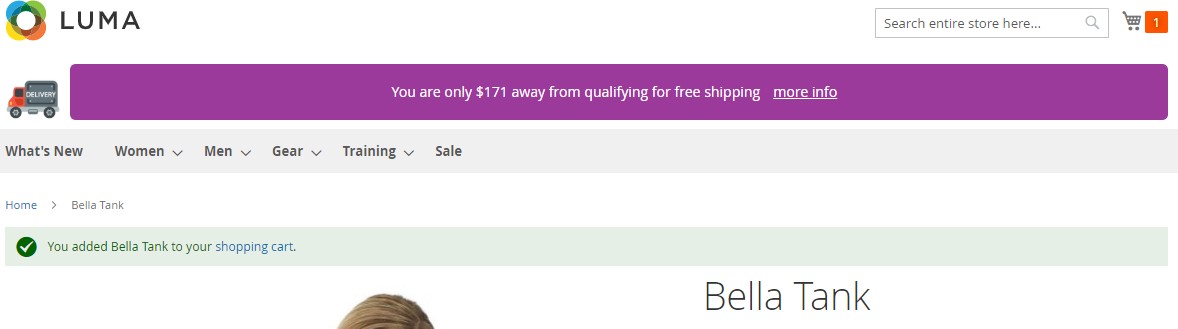
Free Shipping Bar with Remaining Amount - You can inform customers about the remaining amount left for free shipping by providing in progress message from Admin > Marketing > All Free Shipping Bar Rules > Free shipping Bar Rule > Click "Add Free Shipping Bar Rule" > New Shipping Bar > In Progress Message
-
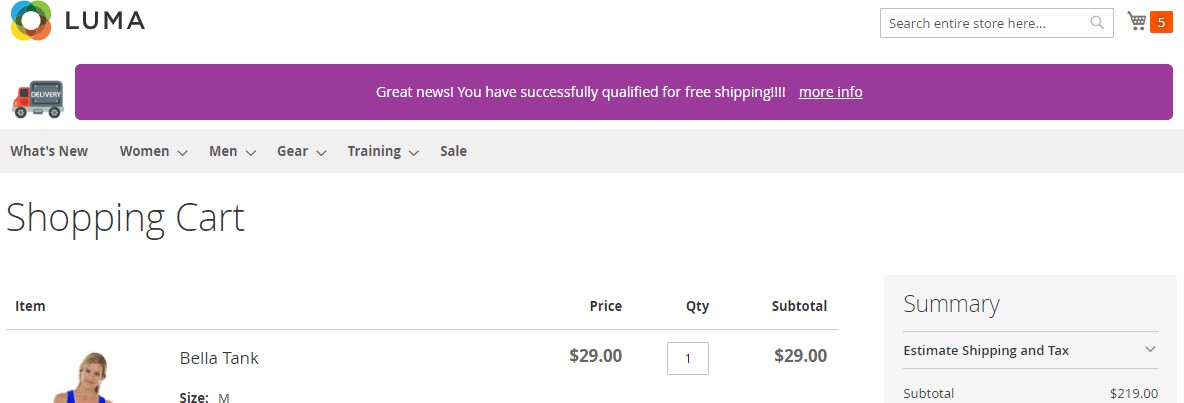
Free Shipping Bar on the Cart Page with Success Message - You can set success message from Admin > Marketing > All Free Shipping Bar Rules > Free shipping Bar Rule > Click "Add Free Shipping Bar Rule" > New Shipping Bar > Achieved Message
If you have a question related to this extension please check out our FAQ Section first. If you can't find the answer you are looking for then please contact support@scommerce-mage.com.