Magento 2 Shipping Carrier Tracker
Installation and User Guide for Magento 2 Shipping Carrier Tracker Extension
Table of Contents
- Installation
- Installation via app/code
- Installation via Composer
- Configuration Settings for Shipping Carrier Tracker
- General Settings
- Shipping Methods
- Tracking Links
- Admin Panel
- My Account Section
- Shipment Email
Installation
-
Installation via app/code: Upload the content of the module to your root folder. This will not overwrite the existing Magento folder or files, only the new contents will be added. After the successful upload of the package, run below commands on Magento 2 root directory.
php bin/magento setup:upgrade php bin/magento setup:di:compile php bin/magento setup:static-content:deploy -
Installation via Composer: Please follow the guide provided in the below link to complete the installation via composer.
Configuration Settings for Shipping Carrier Tracking
Go to Admin > Stores > Configuration > Scommerce Configuration > Tracking Link
General Settings
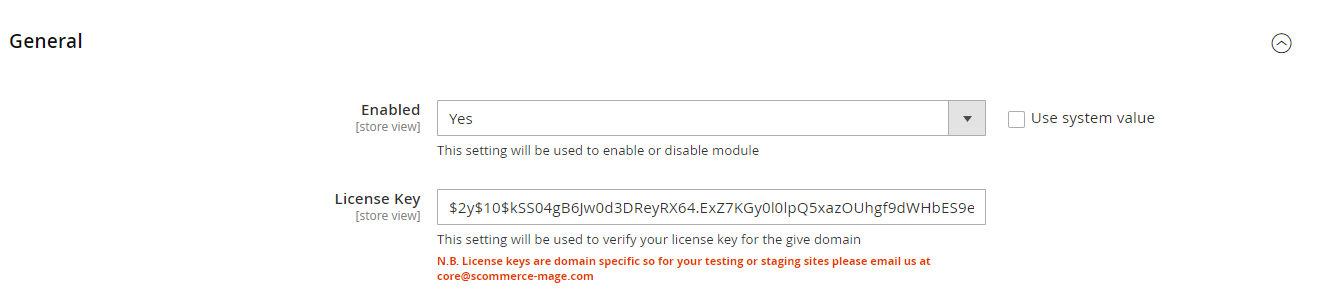
- Enabled – Select "Yes" or "No" to enable or disable the module.
- License Key – Please add the license for the extension which is provided in the order confirmation email. Please note license keys are site URL specific. If you require license keys for dev/staging sites then please email us at support@scommerce-mage.com.
Shipping Methods
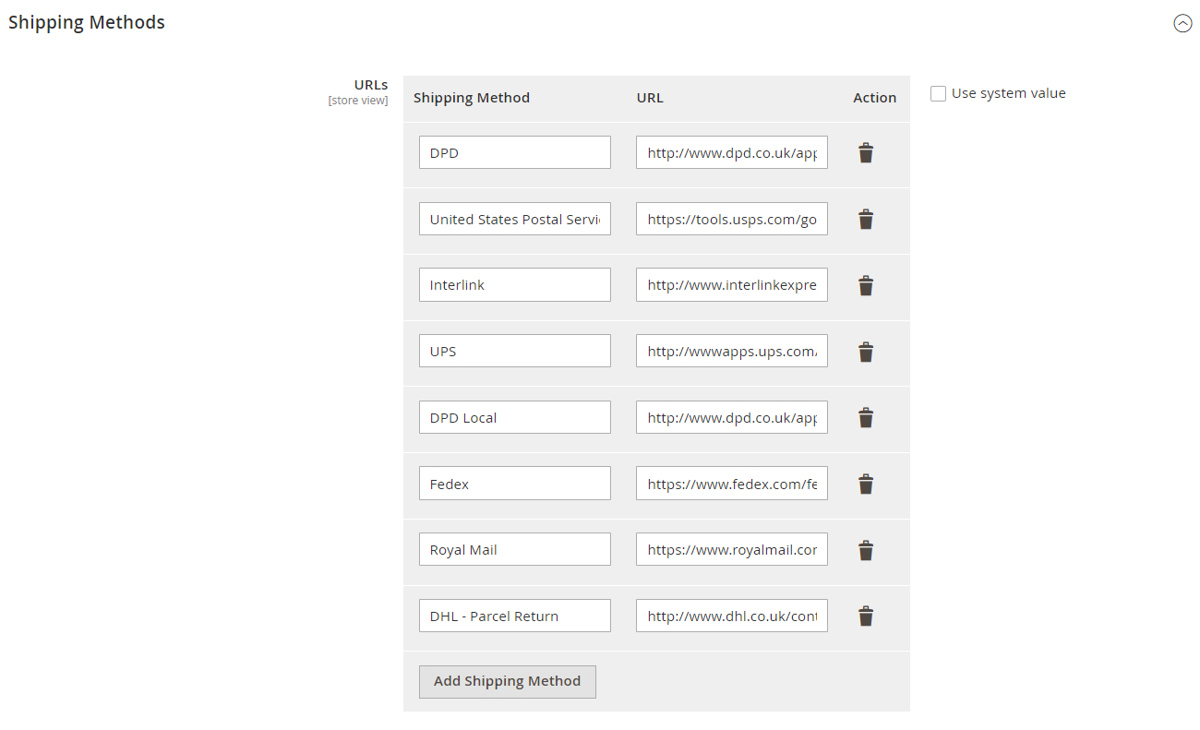
- URLs – Enter the shipping method and the URL. The URL should contain the {number} parameter which will be used to pass the tracking number to the shipping carriers tracking site where the shipment can be tracked.
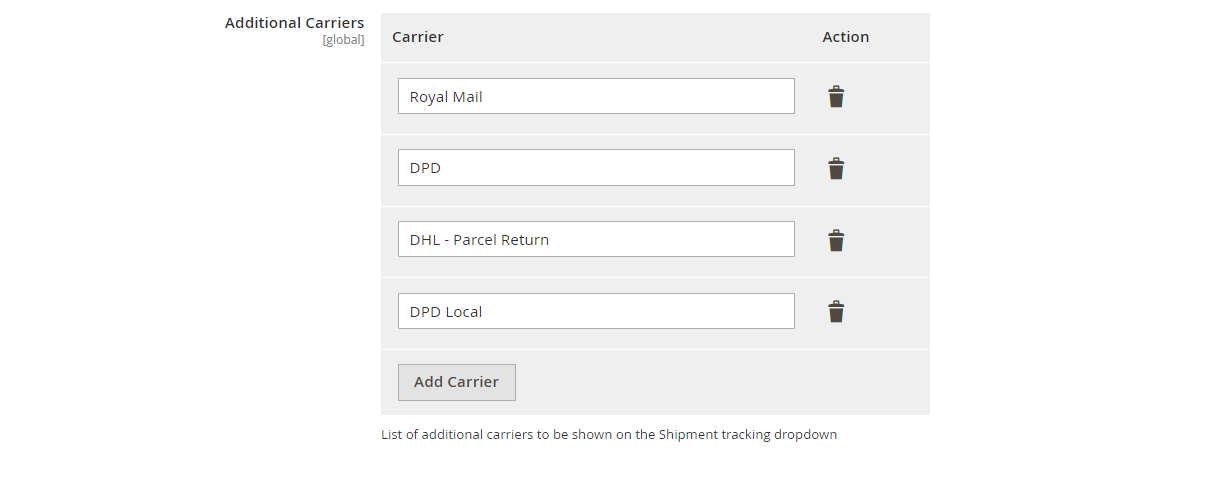
- Additional Carriers- Add the additional carriers which will be available in the carrier selector dropdown list while creating a shipment.
Tracking Links
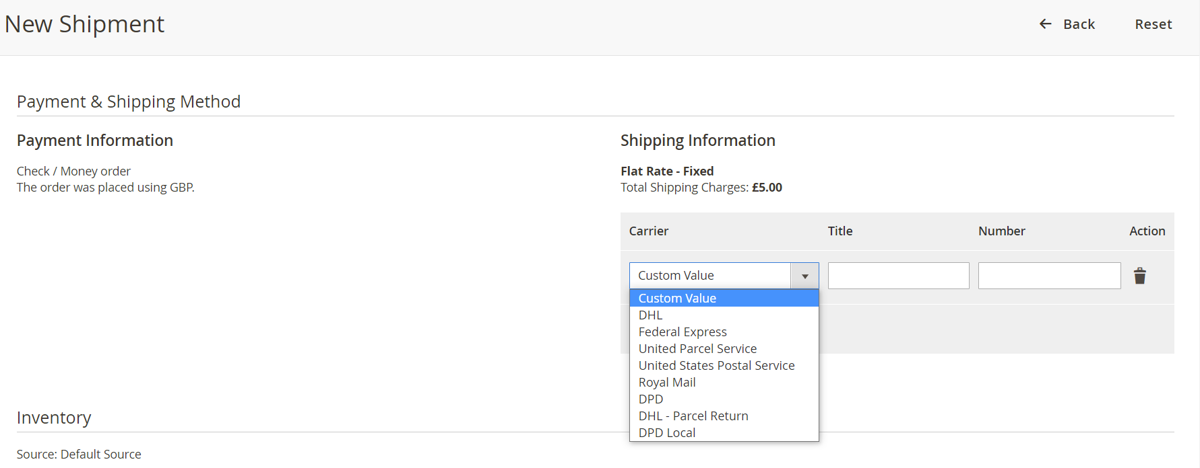
Go to Admin>Sales>Order and select an order then click on 'Ship' to create a shipment. Scroll down to find shipping information then select the shipping carrier from the carrier dropdown list and enter the tracking number for that carrier. Select email copy of shipment checkbox then generate the shipment.
-
Admin Panel:- Once the shipment is generated you can go to the order then from the left menu select shipments and view the generated shipment. You should see the tracking number consists a link, and once you link on that link it will take you to the shipping carriers tracking site with your tracking number.
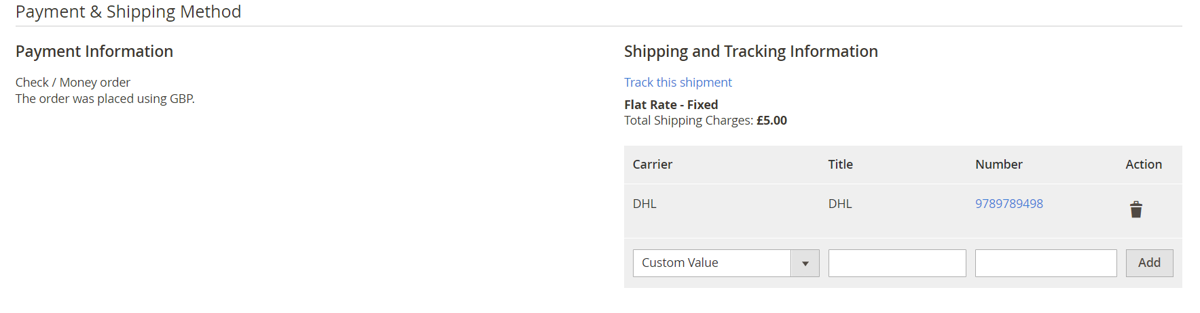
-
My Account Section:- Once the shipment is generated customers can view the shipmen in the My Account>My Orders>Order Shipments section where the trackings numbers with links will be available as per the shipping carriers selected with the shipment.
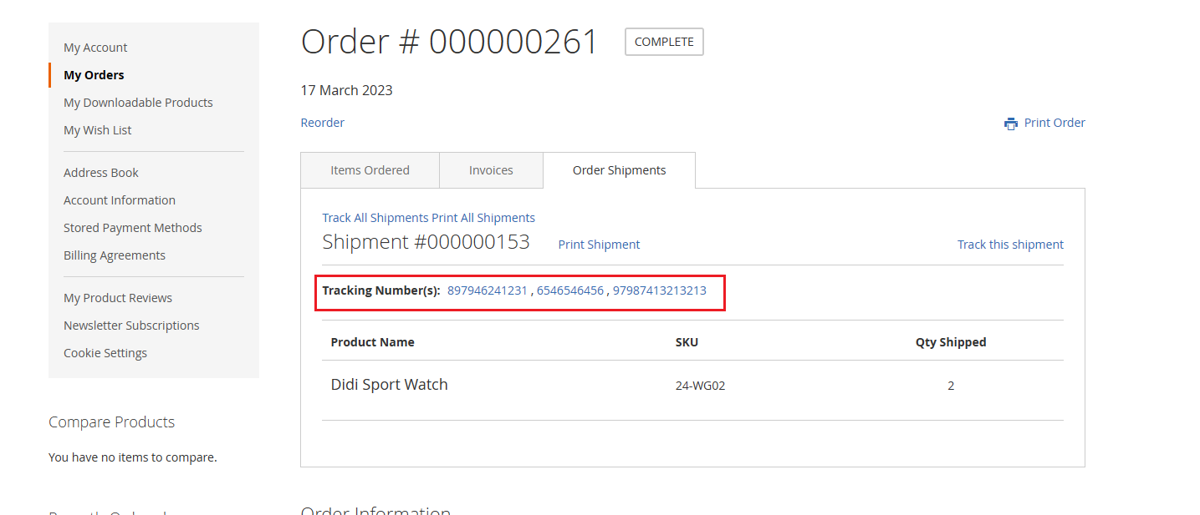
-
Shipment Email:- Once the shipment is generated the shipment email will be sent to the customer with tracking links to each of the shipping carriers.
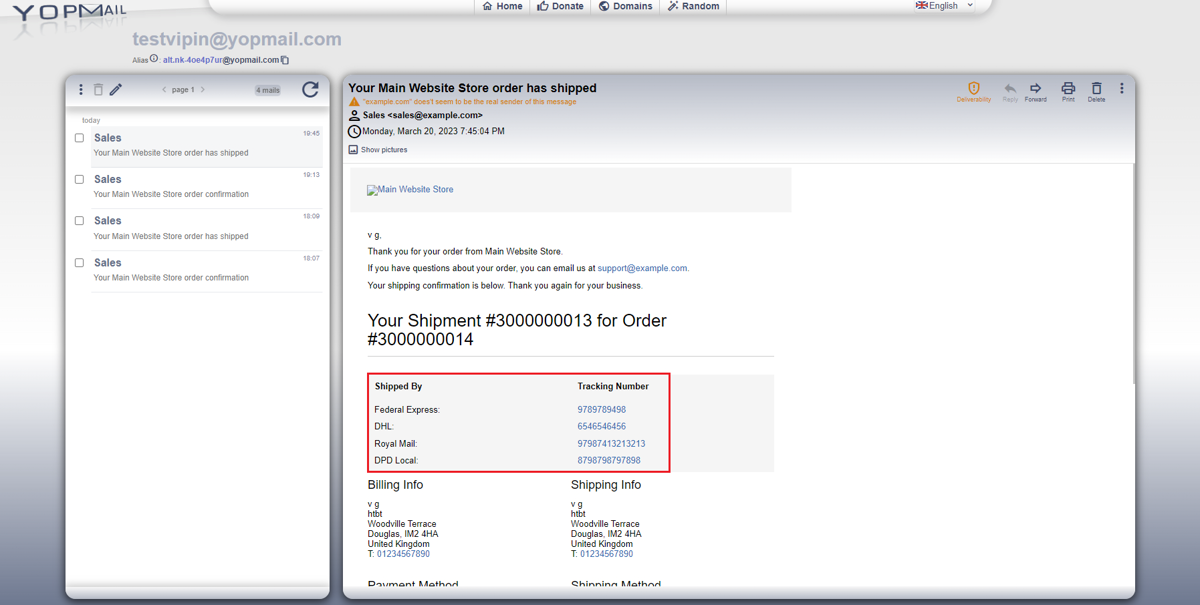
If you have a question related to this extension please check out our FAQ Section first. If you can't find the answer you are looking for then please contact support@scommerce-mage.com.