# Google Friendly SEO Layered Navigation
### Installation and User Guide for Magento 1 Google Friendly SEO Layered Navigation
**Table of Contents**
1. [Installation ](#bkmrk-installation)
- Disable Compilation Mode
- Upload Package
- Clear Caches
2. [Configuration Settings for Layered Navigation ](#bkmrk-configuration-settin)
- General Settings
- Google Friendly SEO Navigation (Fetch as Google)
3. [Front-end Site View ](#bkmrk-front-end-site-view)
- Search Engine Optimization of Layered Navigation
- Custom View of Layered Navigation
### Installation [](#bkmrk-)
- **Disable Compilation Mode:** To check that this is disabled, go to **System >Tools> Compilation**. If the compiler status is 'Disabled', you are ready to go. If not, simply click the 'Disable' button on the right-hand side of the screen.
- **Upload Package:** Upload the content of the module to your root folder. This will not overwrite the existing Magento folder or files, only the new contents will be added.
- **Clear Caches:** This can be done from the admin console by navigating to the cache management page (**System > Cache Management**), selecting all caches, clicking 'refresh' from the drop-down menu, and submitting the change.
### Configuration Settings for Layered Navigation [](#bkmrk--1)
Go to **Admin > Stores > Configuration > Scommerce Configuration > Layered Navigation**
#### General Settings [](#bkmrk--2)
- **Enabled –** Select "Yes" or "No" to enable or disable the module.
- **License Key –** Please add the license for the extension which is provided in the order confirmation email. Please note license keys are site URL specific. If you require license keys for dev/staging sites then please email us at .
[](https://docs.scommerce-mage.com/uploads/images/gallery/2025-06/image-2025-06-16t181054-656.jpg)
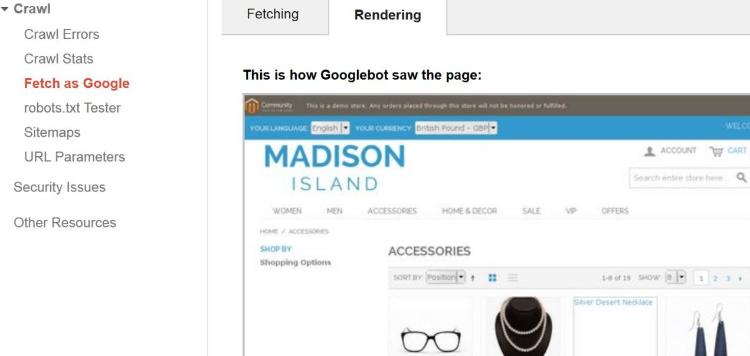
#### Google Friendly SEO Navigation (Fetch as Google) [](#bkmrk--4)
[](https://docs.scommerce-mage.com/uploads/images/gallery/2025-06/image-2025-06-16t181123-417.jpg)
### Front-end Site View [](#bkmrk--6)
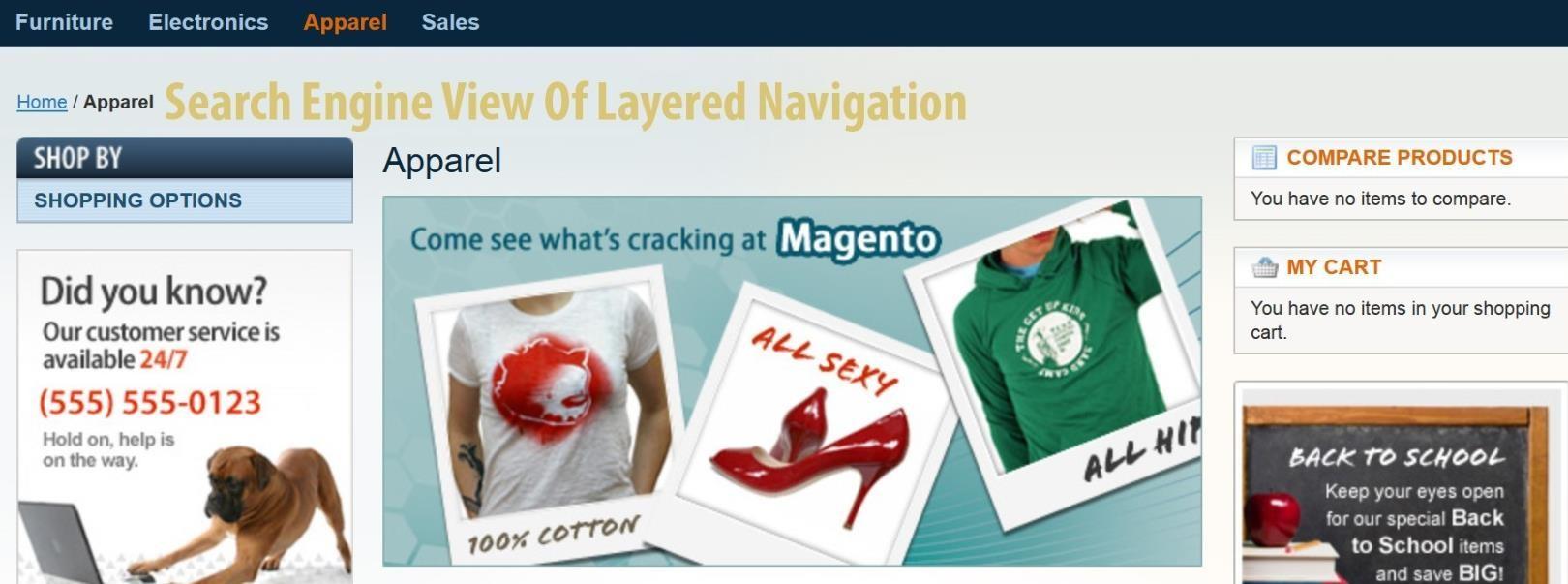
- **Search Engine Optimization of Layered Navigation -** See the image below for Layered Navigation view.
[](https://docs.scommerce-mage.com/uploads/images/gallery/2025-06/image-2025-06-16t181158-909.jpg)
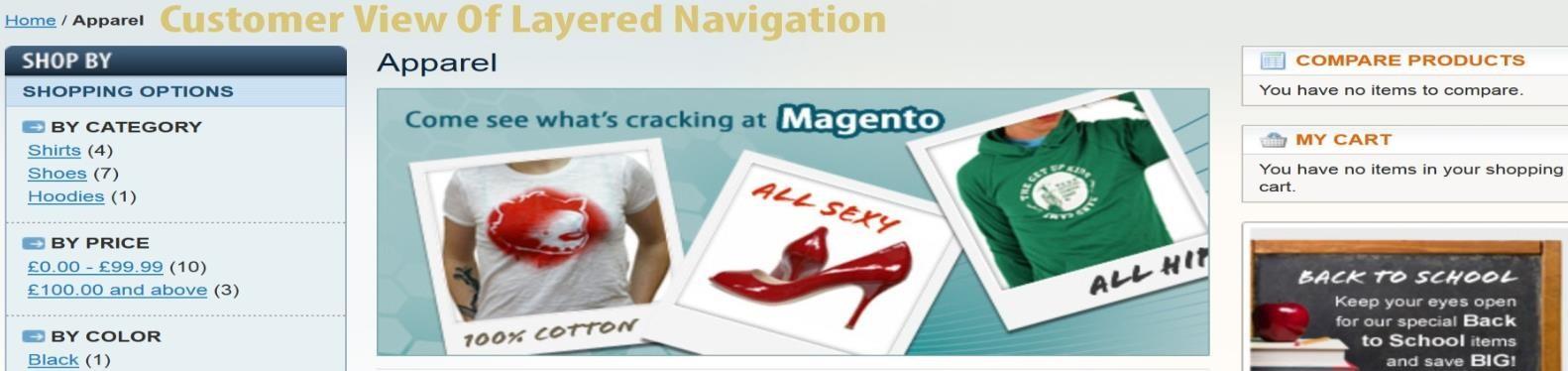
- **Custom View of Layered Navigation –** Here is the custom view of the Layered Navigation
[](https://docs.scommerce-mage.com/uploads/images/gallery/2025-06/image-2025-06-16t181248-988.jpg)
If you have a question related to this extension please check out our [**FAQ Section**](https://www.scommerce-mage.com/google-friendly-layered-navigation.html#faq) first. If you can't find the answer you are looking for then please contact [**support@scommerce-mage.com**](mailto:core@scommerce-mage.com)**.**