
Competition or Prize Draw Module with Social Booster
Installation and User Guide for Magento 1 Competition or Prize Draw Module with Social Booster
Table of Contents
- Installation
- Disable Compilation Mode
- Upload Package
- Clear Caches
- Configuration Settings for Competition
- General Settings
- Twitter Tweet
- Email Settings
- Static Blocks
- Competition URL
- Competition Entries Report
- Front-end Site view
- Competition Form
- Social Sharing Links on the Form
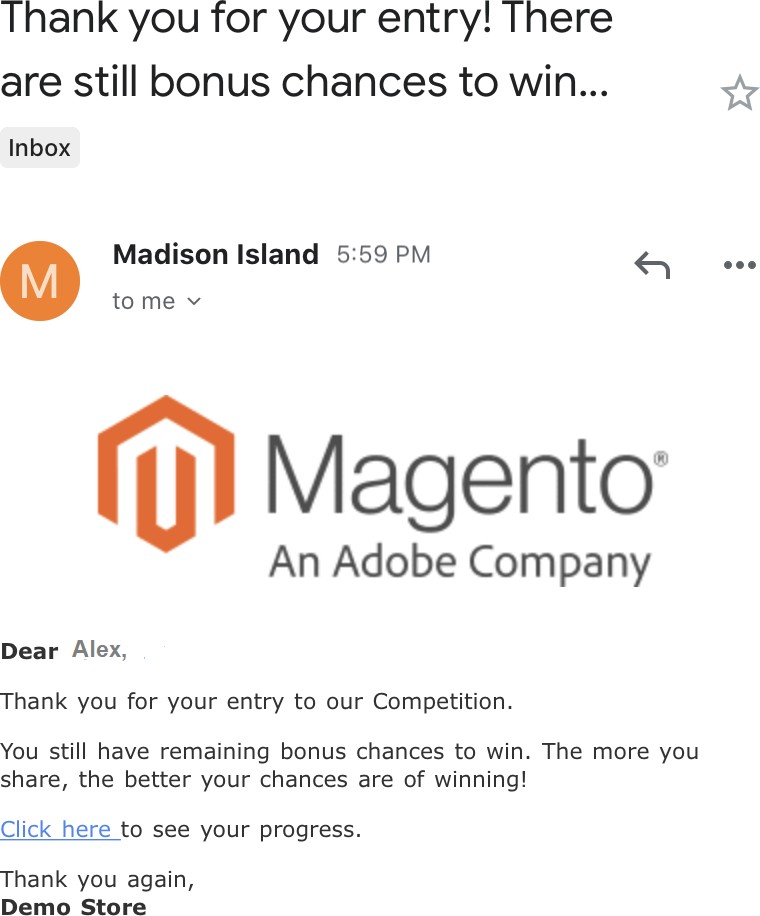
- Competition Entry Confirmation Email
Installation
- Disable Compilation Mode: To check that this is disabled, go to System >Tools> Compilation. If the compiler status is 'Disabled', you are ready to go. If not, simply click the 'Disable' button on the right hand side of the screen.
- Upload Package: Upload the content of the module to your root folder. This will not overwrite the existing Magento folder or files, only the new contents will be added.
- Clear Caches: This can be done from the admin console by navigating to the cache management page (System > Cache Management), selecting all caches, clicking 'refresh' from the drop-down menu, and submitting the change.
Configuration Settings for Competition
Go to Admin > Stores > Configuration > Scommerce Configuration > Competition
General Settings
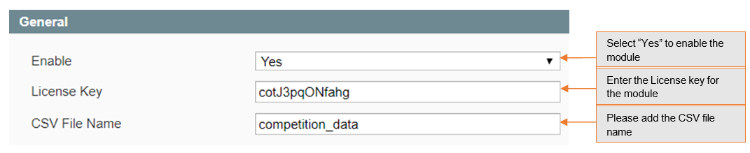
- Enabled – Select "Yes" or "No" to enable or disable the module.
- License Key – Please add the license for the extension which is provided in the order confirmation email. Please note license keys are site URL specific. If you require license keys for dev/staging sites then please email us at support@scommerce-mage.com.
- CSV File name – Please add the csv file name in the competition.
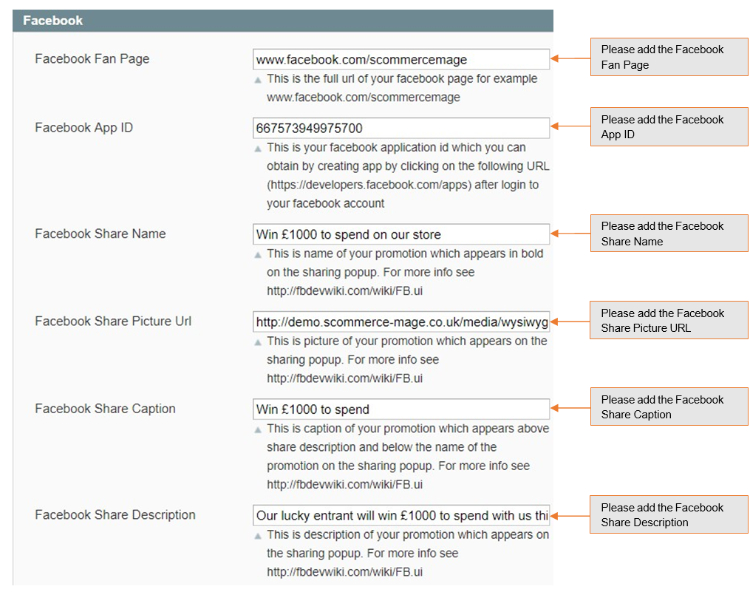
- Facebook Fan Page – Full url of your facebook page for example www.facebook.com/scommercemage
- Facebook App Id – Your facebook application id which you can obtain by creating app by clicking on the following URL (https://developers.facebook.com/apps) after login to your facebook account.
- Facebook Share Name – Name of your promotion which appears in bold on the sharing popup. For more info see http://fbdevwiki.com/wiki/FB.ui
- Facebook Share Picture Url – Picture of your promotion which appears on the sharing popup. For more info see https://fbdevwiki.com/wiki/FB.ui
- Facebook Share Caption – Caption of your promotion which appears above share description and below the name of the promotion on the sharing popup. For more info see http://fbdevwiki.com/wiki/FB.ui
- Facebook Share Description – Description of your promotion which appears on the sharing popup. For more info see http://fbdevwiki.com/wiki/FB.ui
Twitter Tweet
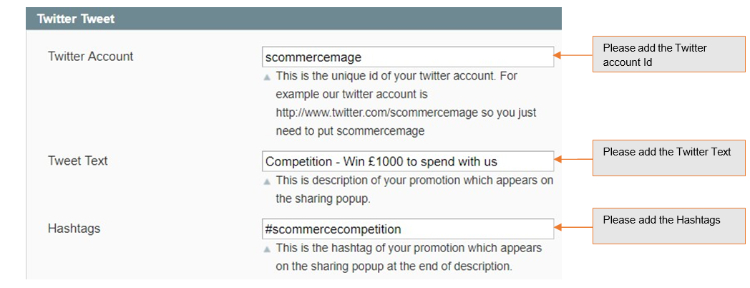
- Twitter Account – The unique id of your twitter account. For example our twitter account is http://www.twitter.com/scommercemage so you just need to put scommercemage.
- Tweet Text – Description of your promotion which appears on the sharing popup.
- Hashtags – The hashtag of your promotion which appears on the sharing popup at the end of the description.
Email Settings
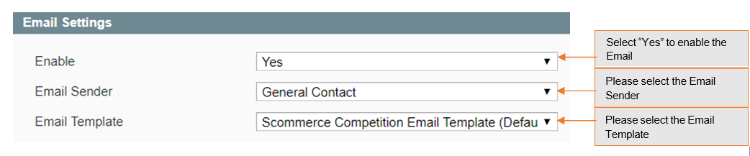
- Enable – Select "Yes" to enable competition emails.
- Email Sender – Select email sender for competition email.
- Email Template – Select Email template.
Static Blocks
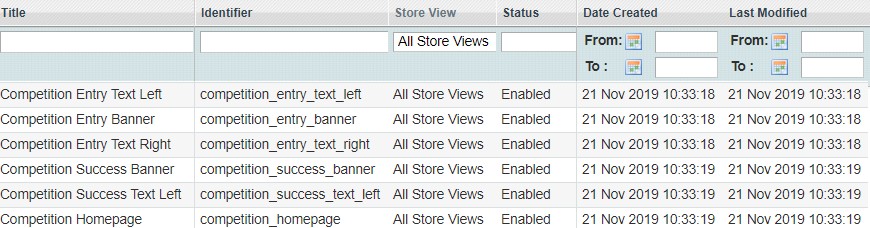
You can find static blocks at Admin > CMS > Static. Below are the static blocks which you can customize as required: -
- Competition Homepage
- Competition Entry Banner
- Competition Entry Text Left
- Competition Entry Text Right
- Competition Success Banner
- Competition Success Text Left
Competition URL
The Competition URL site will be as follows - [Your Site Url ]/Competition
For demo please check our demo site URL: http://demo.scommerce- mage.co.uk/competition
You can give the link for competition anywhere on the site

Competition Entries Report
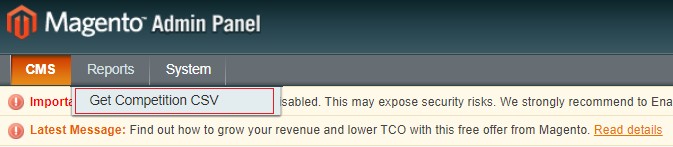
Go to Admin > Reports > Get Competition CSV. This will give you a CSV report for all the competition entries
Front-end Site view
-
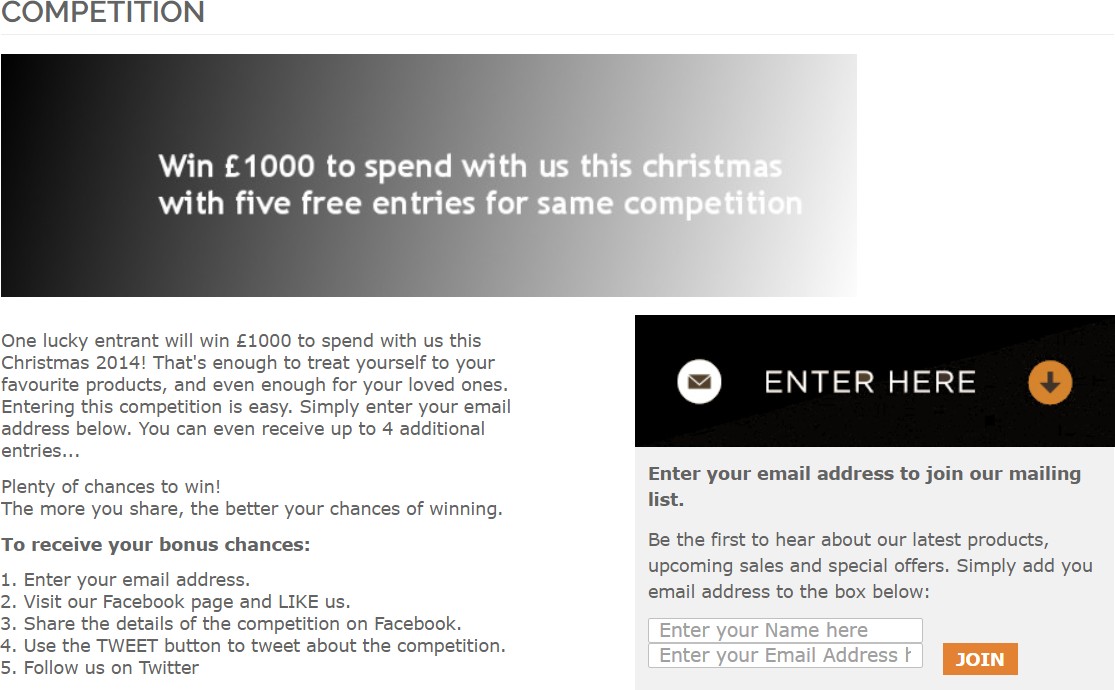
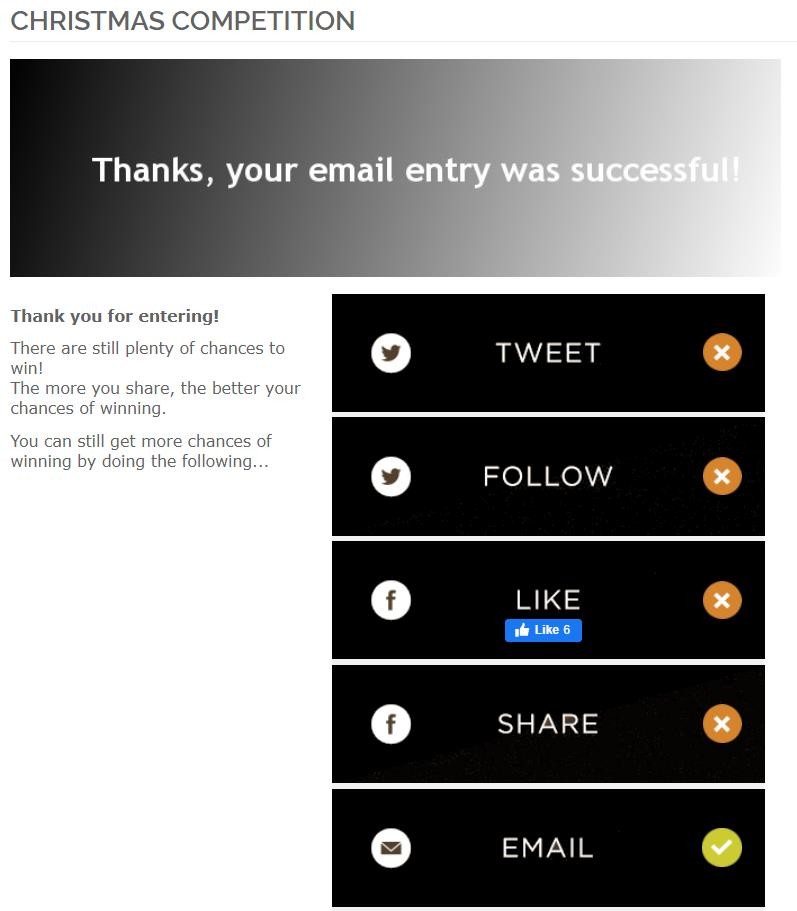
Competition Form – When you hit the competition URL it opens the competition on the front-end and by entering the email address you can enter into the competition.
-
Competition Entry Confirmation Email – It sends an email to users to confirm their entry into the prize draw or competition.
If you have a question related to this extension please check out our FAQ Section first. If you can't find the answer you are looking for then please contact support@scommerce-mage.com.