
Catalog
Installation and User Guide for Magento 1 SEO Unique Catalog URLs
Table of Contents
- Installation
- Configuration Settings for Catalog URL
- General Settings
- Configuration Path to Set Up Primary Category
- Front-end site view
- Product Page Unique URL
- Search Page / Category Page Unique Catalog Product URL
Installation
- Disable Compilation Mode: To check that this is disabled, go to System >Tools> Compilation. If the compiler status is ‘Disabled’, you are ready to go. If not, simply click the ‘Disable’ button on the right-hand side of the screen.
- Upload Package: Upload the content of the module to your root folder. This will not overwrite the existing Magento folder or files, only the new contents will be added.
- Clear Caches: This can be done from the admin console by navigating to the cache management page (System > Cache Management), selecting all caches, clicking ‘refresh’ from the drop-down menu, and submitting the change.
Configuration Settings for Catalog URL
Go to Admin > Stores > Configuration > Scommerce Configuration > Catalog URL
General Settings
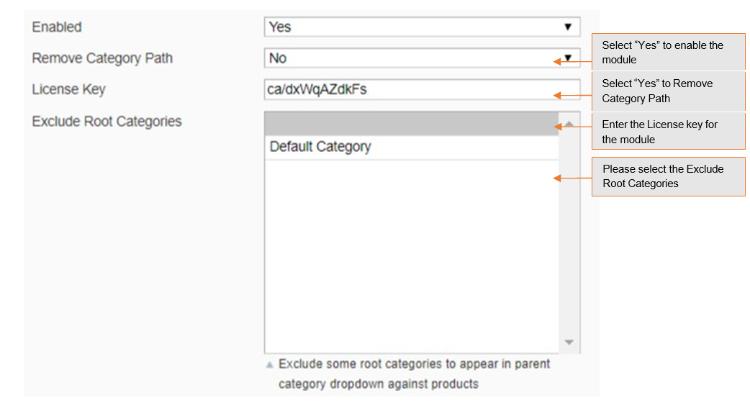
- Enabled – Select “Yes” or “No” to enable or disable the module.
- Remove Category Path – Select “Yes” if you want to remove category path from product URLs. By default it is “No”.
- License Key – Please add the license for the extension which is provided in the order confirmation email. Please note license keys are site URL specific. If you require license keys for dev/staging sites then please email us at support@scommerce-mage.com.
- Exclude Root Categories – Exclude some root categories to appear as primary category dropdown against products.
Configuration Path to Set Up Primary Category
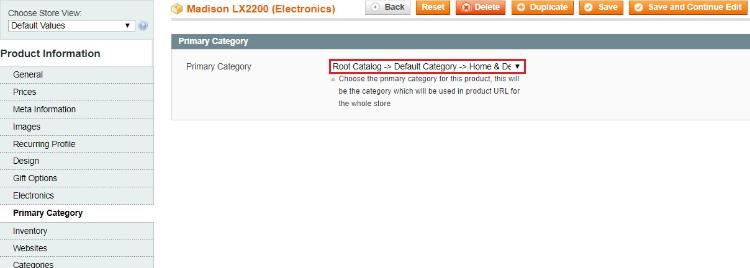
To set primary category go to Admin > Catalog > Select Product > Primary Category. The drop down will show all the categories selected for the product from where you can select the primary category of the product.
Front-end site view
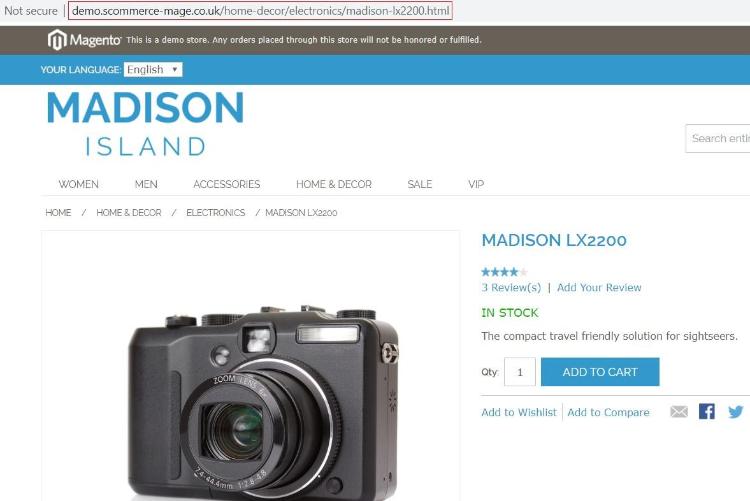
- Product Page Unique URL –You can assign primary category to a product from Admin > Catalog > Select Product > Primary Category. In the below image you can see the primary category “Home & Decor > Electronics” has been set for the product Madison LX2200.
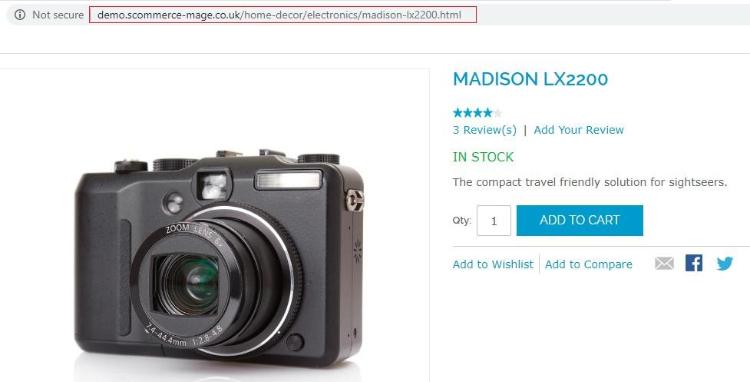
- Search Page / Category Page Unique Catalog Product URL –We have set the primary category of "Madison LX2200" product to “Home & Decor > Electronics”, and the category path remains the same when we access the product from the search or any other category, which you can see in the below image.
If you have a question related to this extension please check out our FAQ Section first. If you can't find the answer you are looking for then please contact support@scommerce-mage.com.