
Magento Rich Snippets & Cards (schema.org)
Installation and User Guide for Magento 1 Rich Snippets & Cards (schema.org)
Table of Contents
- Installation
- Disable Compilation Mode
- Upload Package
- Clear Caches
- Configuration Settings for Rich Snippet
- General Settings
- HTML Selectors
- Facebook OpenGraph
- Attributes
- Structured Data / Markup Code of Front-end Page(s) in Structured Data Testing Tool
- Home Page Markup Code
- Category Page Markup Code
- Product Page Markup Code
- Twitter, Facebook Open Graph Social Sharing Code
- Increased and Optimized Page Ranking in Search Result
Installation
- Disable Compilation Mode: To check that this is disabled, go to System >Tools> Compilation. If the compiler status is 'Disabled', you are ready to go. If not, simply click the 'Disable' button on the right hand side of the screen.
- Upload Package: Upload the content of the module to your root folder. This will not overwrite the existing Magento folder or files, only the new contents will be added.
- Clear Caches: This can be done from the admin console by navigating to the cache management page (System > Cache Management), selecting all caches, clicking 'refresh' from the drop-down menu, and submitting the change.
Configuration Settings for Rich Snippet
Go to Admin > Stores > Configuration > Scommerce Configuration > Rich Snippet
General Settings
- Enabled – Select "Yes" or "No" to enable or disable the module.
- License Key – Please add the license for the extension which is provided in the order confirmation email. Please note license keys are site URL specific. If you require license keys for dev/staging sites then please email us at support@scommerce-mage.com.

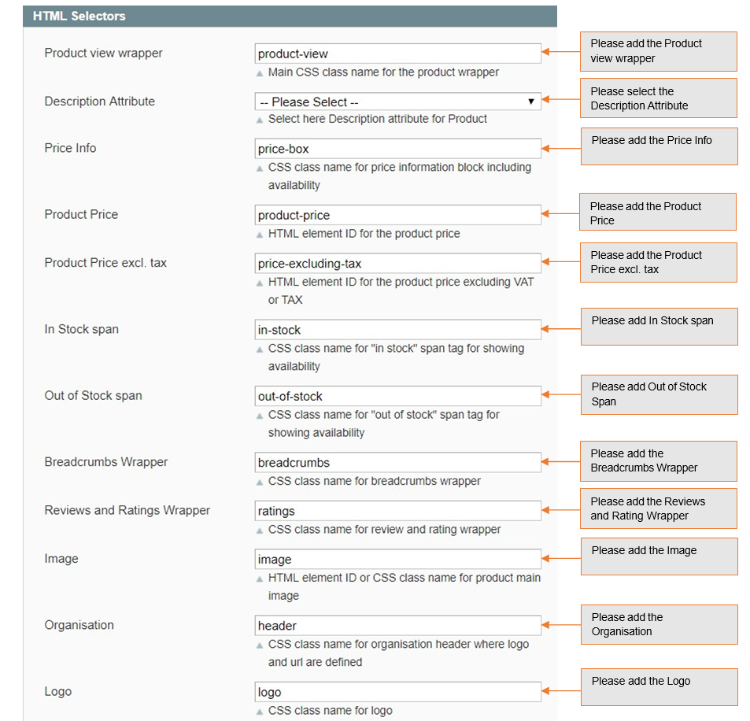
HTML Selectors
- Product view wrapper – Main CSS class name for the product wrapper.
- Description Attribute – CSS class name for short description.
- Price Info – CSS class name for price information block including availability.
- Product Price – HTML element ID for the product price.
- Product Price excl. tax – HTML element ID for the product price excluding VAT or TAX.
- In Stock Span – CSS class name for "in stock" span tag for showing availability.
- Out of Stock span – CSS class name for "out of stock" span tag for showing availability.
- Breadcrumbs Wrapper – CSS class name for breadcrumbs wrapper.
- Reviews and Rating Wrapper – CSS class name for review name and rating wrapper.
- Image – HTML element ID or CSS class name for product main image.
- Organisation – CSS class name for div in the where log is defined.
- Logo – CSS class name for anchor element of the logo.
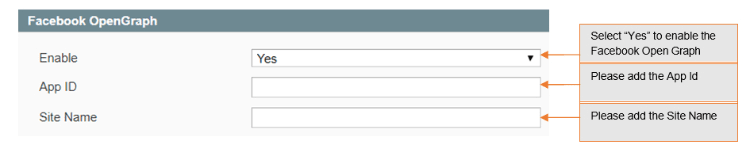
Facebook OpenGraph
- Enable – Set "yes" to enable Facebook open graph tags.
- AppId – Set Facebook app id
- Sitename – Set Facebook site name
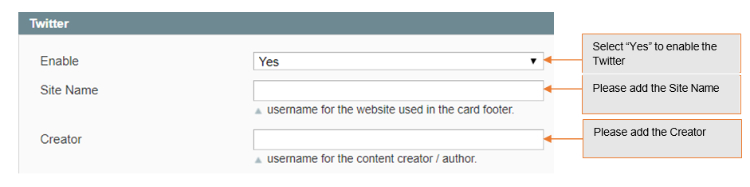
- Enable – Set "yes" to enable twitter.
- Sitename – Set twitter site name (@username for the website used in the card footer)
- Creator – Set twitter creator name (@username for the content creator / author)
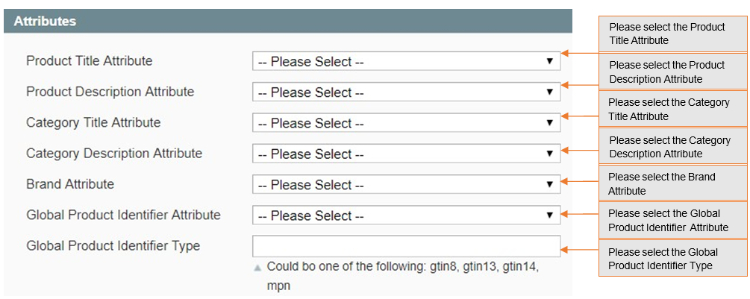
Attributes
- Product Title Attribute – Select product title attribute you want to send to Google, Facebook, Twitter etc.
- Product Description Attribute – Select product description attribute you want to send to Google, Facebook, Twitter etc.
- Category Title Attribute – Select category title attribute you want to send to Google, Facebook, Twitter, etc.
- Category Description Attribute – Select category description attribute you want to send to Google, Facebook, Twitter etc.
- Brand Attribute – Please select brand attribute from the dropdown.
- Global Product Identifier Attribute – Select product identifier attribute from the drop-down list.
- Global Product Identifier Type – Select product identifier type from the drop- down list. It could be one of the following: gtin8, gtin13, gtin14, mpn.
Structured Data / Markup Code of Front-end Page(s) in Structured Data Testing Tool
-
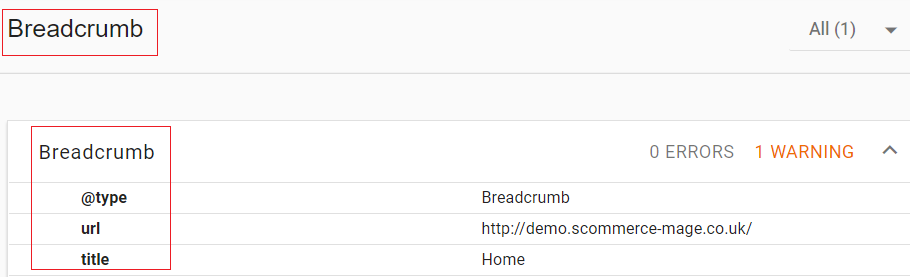
Home Page Markup Code – You can add structured data/markup code on homepage from Admin > Stores > Configuration > Rich Snippet > Enable – "Yes". To test structured data, go to Structured Data Testing Tool > Provide Home Page URL > Click "Run Test".
-
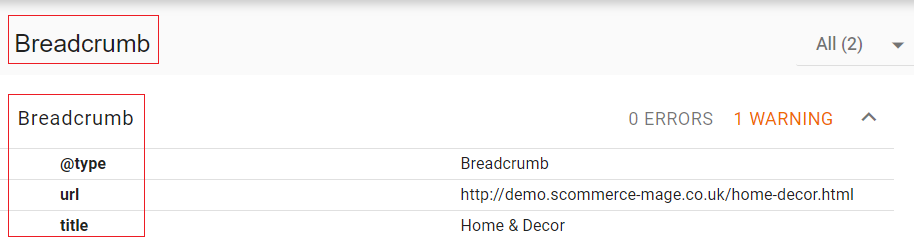
Category Page Markup Code – You can add markup code, breadcrumbs on category page from Admin > Stores > Configuration > Rich Snippet > Enable – "Yes".
-
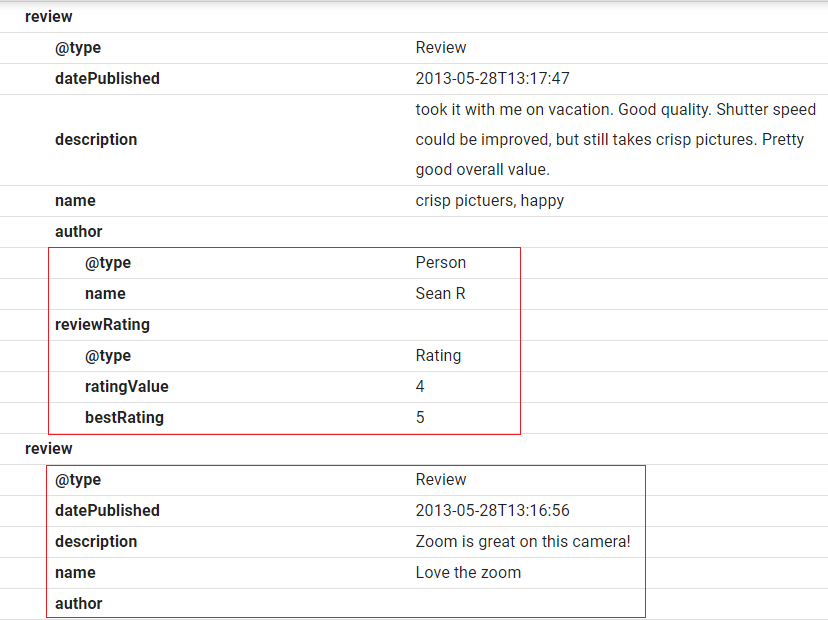
Product Page Markup Code – To add structured data markup code on product page, set "Enable" to "Yes" from Admin > Configuration > Rich Snippet .
Twitter, Facebook Open Graph Social Sharing Code
-
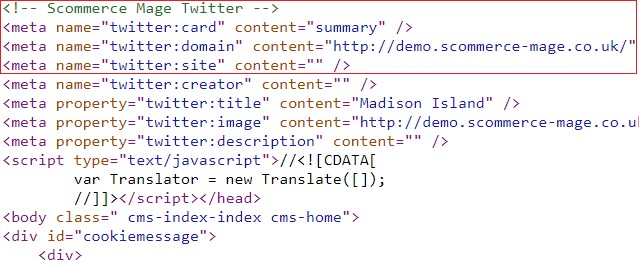
Twitter Code – You can enable Twitter from Admin > Stores > Configuration> Rich Snippet > Twitter > Enable – "Yes"
-
Facebook Open Graph – Enable Facebook Open Graph from Admin > Stores> Configuration > Rich Snippet > Facebook Open Graph > Enable – "Yes"

-
Increased and Optimized Page Ranking in Search Result – In the below image you can see the increased and optimized page ranking in search results.

If you have a question related to this extension please check out our FAQ Section first. If you can't find the answer you are looking for then please contact support@scommerce-mage.com.